 TheHobbyist
— Passion Driven Products
← All Software
TheHobbyist
— Passion Driven Products
← All Software
Cabinote is a freeform digital notebook that feels like paper — but smarter. Write, sketch, paste photos, and draw on an infinite canvas. Your notes, your rules.
Cabinote combines the warmth of paper with the power of a digital tool — without the bloat.
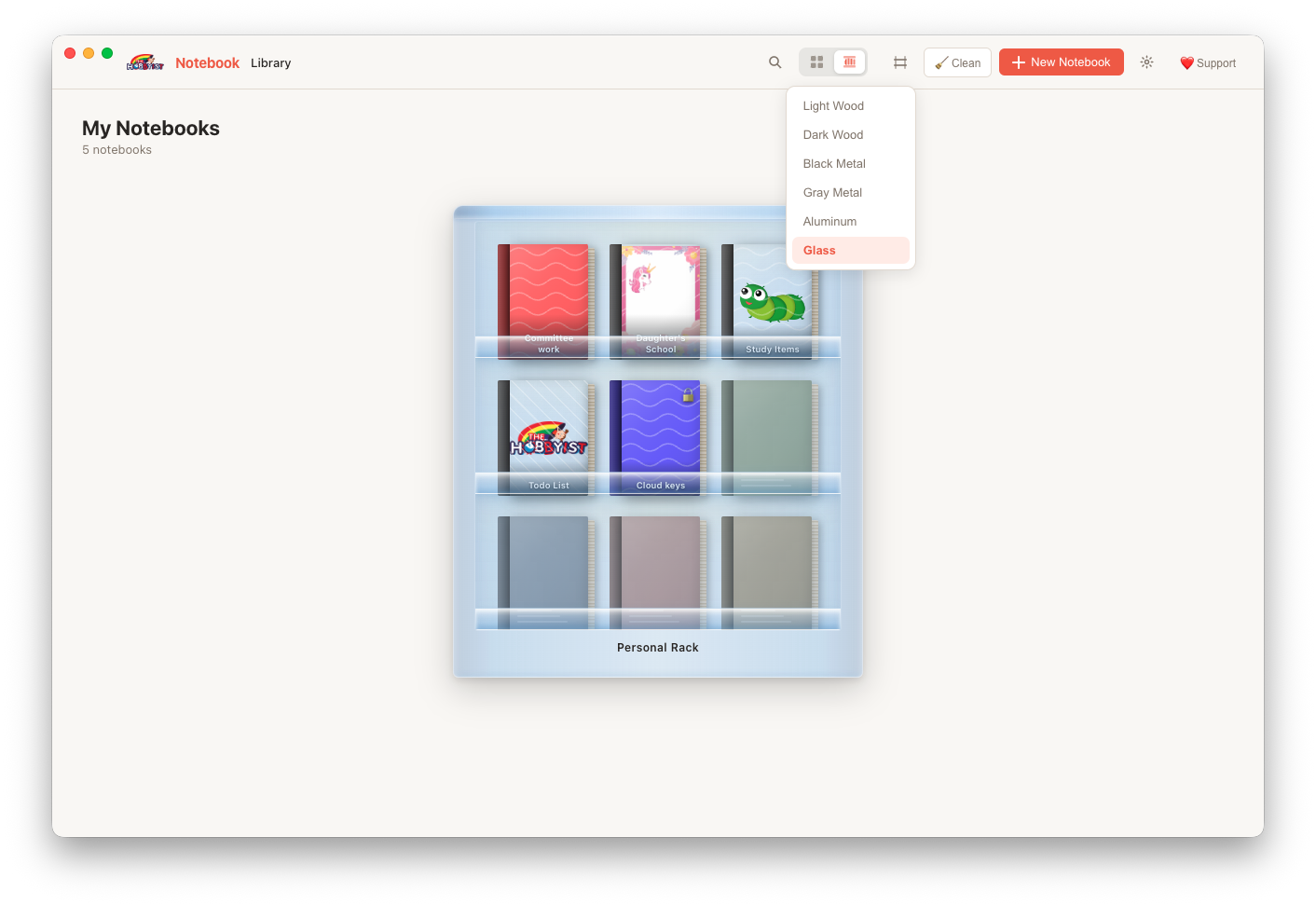
Every notebook lives on a gorgeous 3D bookshelf. Choose from 6 rack themes — Light Wood, Dark Wood, Black Metal, Gray Metal, Aluminum, or Glass — and watch your notes come to life as physical books you actually want to open.
Pen, marker, highlighter, and eraser — all built in. Pick any colour and size. Your drawings are stored right inside the note, no extra files needed.
Click anywhere on the canvas to drop a text box. Drag, resize, and style with bold, italic, font sizes, and colours. Every text box is its own island of thought.
Protect sensitive notebooks with a personal PIN. Locked notebooks are inaccessible until the correct PIN is entered — even if someone opens the app on your machine.
Drag-and-drop images onto any note, or pick from your files. Images sit as resizable, moveable elements right on the canvas — no attachments, no clutter.
Tag your notes with coloured badges: Important ⭐, Urgent 🚨, Confidential 🔐, Idea 💡, Work 💼 and more — visible at a glance in the notes list.
Hit ⌘K (or Ctrl+K) anywhere to search across all notebooks and notes simultaneously. Fuzzy title matching finds exactly what you need in milliseconds.
Made a mistake? Hit undo up to 30 times on the canvas. Snapshot-based undo means you can fearlessly experiment without losing your work.
All data lives in a local NeDB database on your device. Zero cloud, zero telemetry, zero ads. The app doesn't even ask for internet permission.
Toggle a lined background per note, or set a global default. Lined pages help keep your writing aligned; blank pages give you total freedom to layout elements anywhere.
Never worry about saving. Notes are automatically saved as you type, draw, or move elements. The status bar shows "Auto-saved ✓" so you always know you're safe.
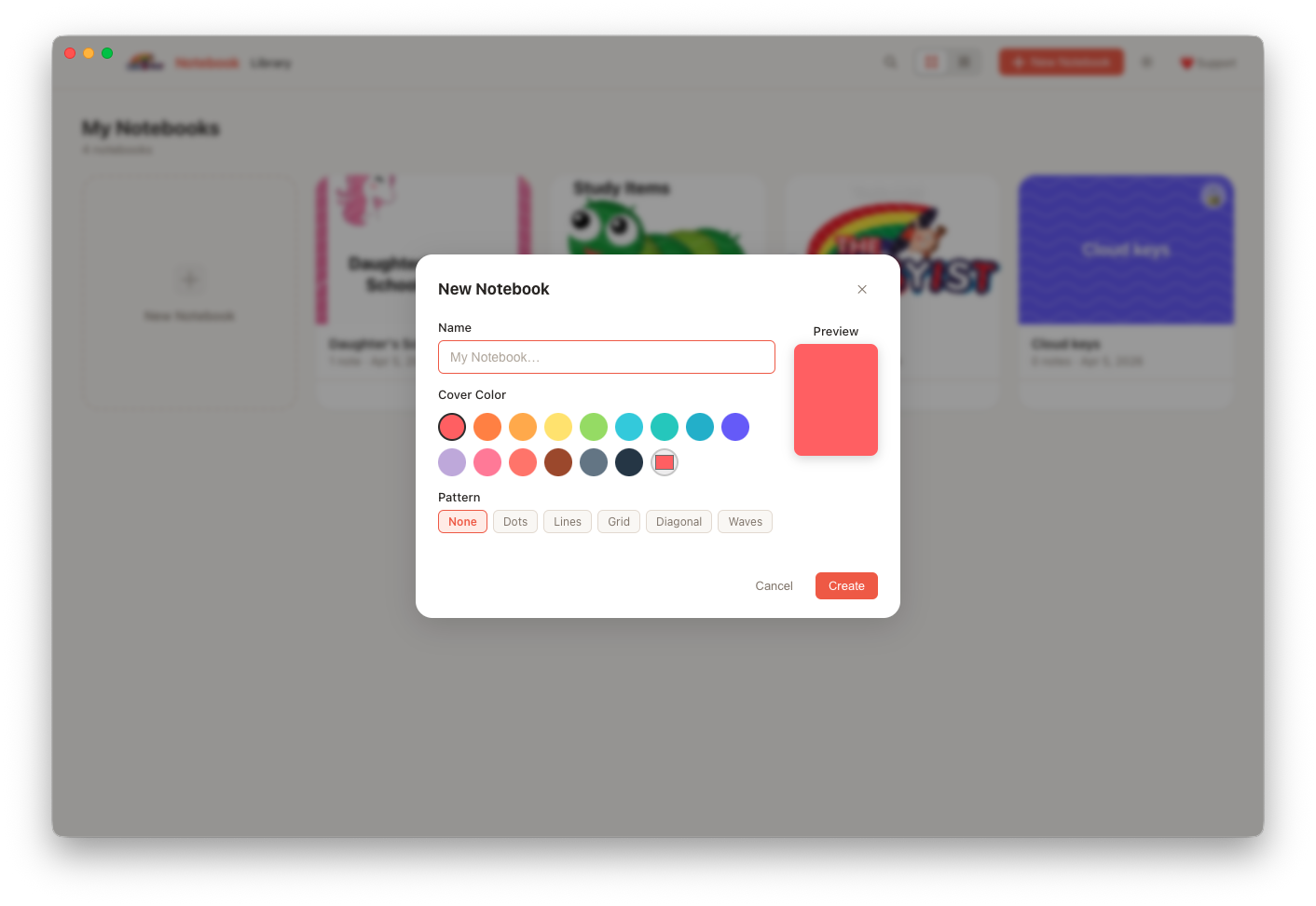
Design covers with any colour from the palette, apply a gradient, or use your own photo as the cover. Add overlay patterns and custom text to make each notebook truly yours.
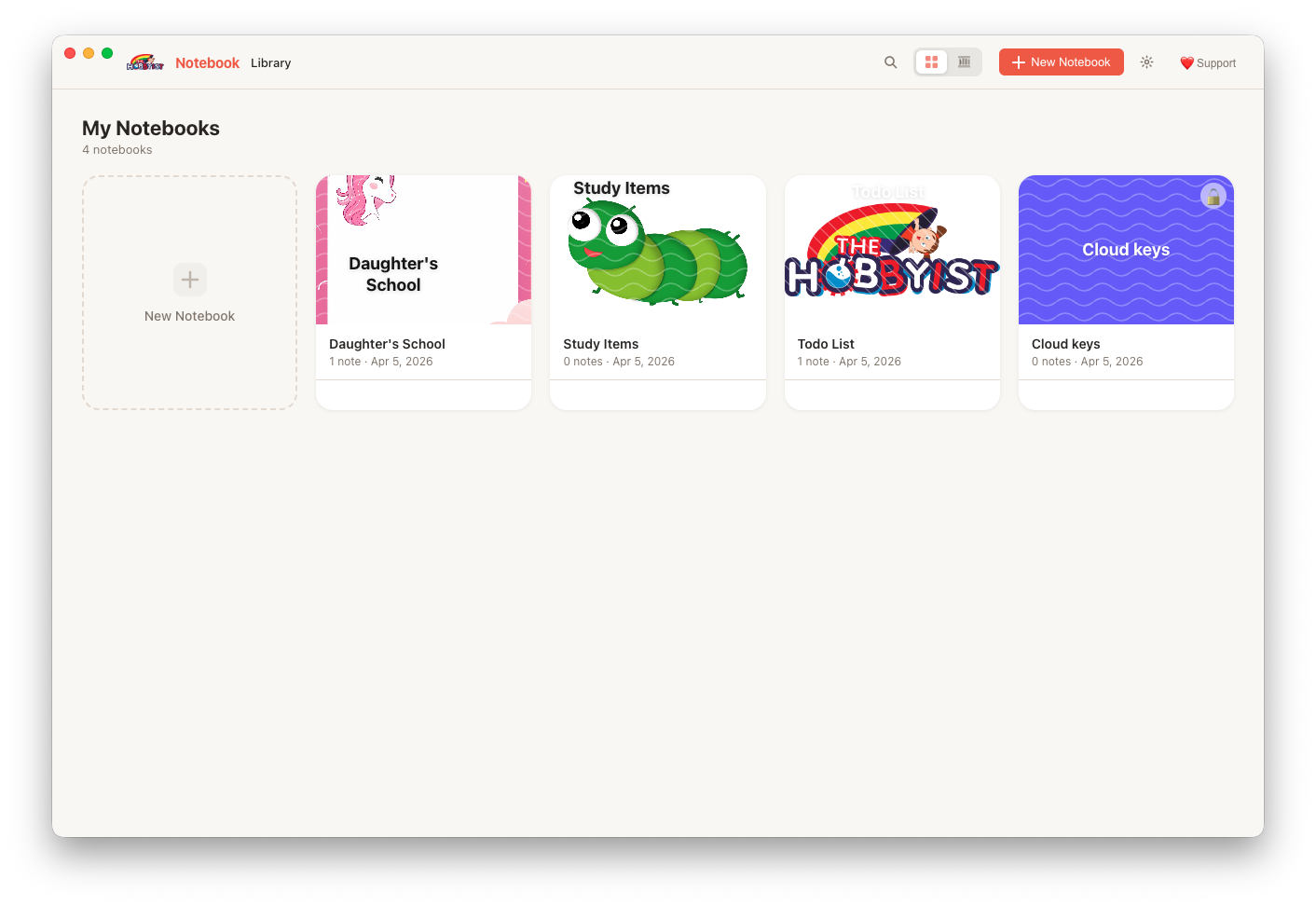
Most note apps give you a boring list. Cabinote gives you a 3D bookshelf with colour-coded spines, cover art, and even a subtle light sheen. It's the first thing you see when you open the app — and it's genuinely delightful.
Click + to create a notebook. Pick a name, choose a cover colour or upload a photo, and it appears on your shelf instantly.
Open the notebook, create a note. An infinite canvas opens — click anywhere to start typing, or grab the pen to draw, or drag an image in.
Auto-save runs silently in the background. Close the app, reopen it later — every word, stroke, and image is exactly where you left it.
Press ⌘K to search across all notebooks at once. Your ideas are never more than a keystroke away.
Quick videos showing you everything you need to get started with Cabinote.
Create notebooks, write notes on the infinite canvas, add text boxes, draw with the pen tool, and embed images — the core workflow in one walkthrough.
See how to protect a sensitive notebook with a PIN lock — and how the session-based security keeps your PIN off disk entirely.
Real screenshots from the app — no mockups.
Cabinote is 100% local. Every note, every drawing, every image lives in a database on your computer. The app makes zero network requests. It has no analytics, no crash reporting, no ad network, no account system — nothing that could share your data.
Your notes are stored as a local NeDB database in your OS user data folder. They never leave your device. Read the full Privacy Policy →

Free · No sign-up · No subscription · Works offline
By downloading, you agree to our License Agreement and Privacy Policy.
Choose the version for your Mac. Not sure? Pick Universal — it runs natively on both Apple Silicon and Intel, including Macs on macOS Catalina (10.15) and newer.
Apple menu → About This Mac → look for "Chip" (Apple Silicon) or "Processor" (Intel)
Cabinote is completely free, built with love in our spare time. If it brings joy to your day, a small donation keeps the caffeine flowing and the updates coming.
For Indian supporters — scan with Google Pay, PhonePe, Paytm, or any UPI app.

Google Pay · PhonePe · Paytm · Any UPI app
Share Cabinote with a friend who takes a lot of notes. Word-of-mouth from happy users means the world to us.
Questions or feedback? amit@thehobbyist.in
From TheHobbyist
All free, offline-first desktop apps — no subscriptions, no accounts