Version 1.0 — Now Available
Windows & macOS Desktop App · Works Fully Offline

Run your restaurant smarter.
Every order. Every rupee.

Campus Restaurant is a complete offline restaurant management system for Windows and macOS — take orders, manage your menu, track ingredient purchases, monitor inventory, see P&L, and share profits with partners, all without the internet.

⇓ Download v1.0 View Screenshots

Works fully offline · Windows & macOS · No subscription required

8+
Sections & Modules
3
User Role Levels
100%
Offline — No Cloud
PDF
Receipts & Reports

See it in action

Real screens from the app — every section built for daily restaurant operations.

Orders Board and Serving
🧾
Orders Board & Serving
All active orders · Mark items served one by one · Placed → Served → Paid status flow
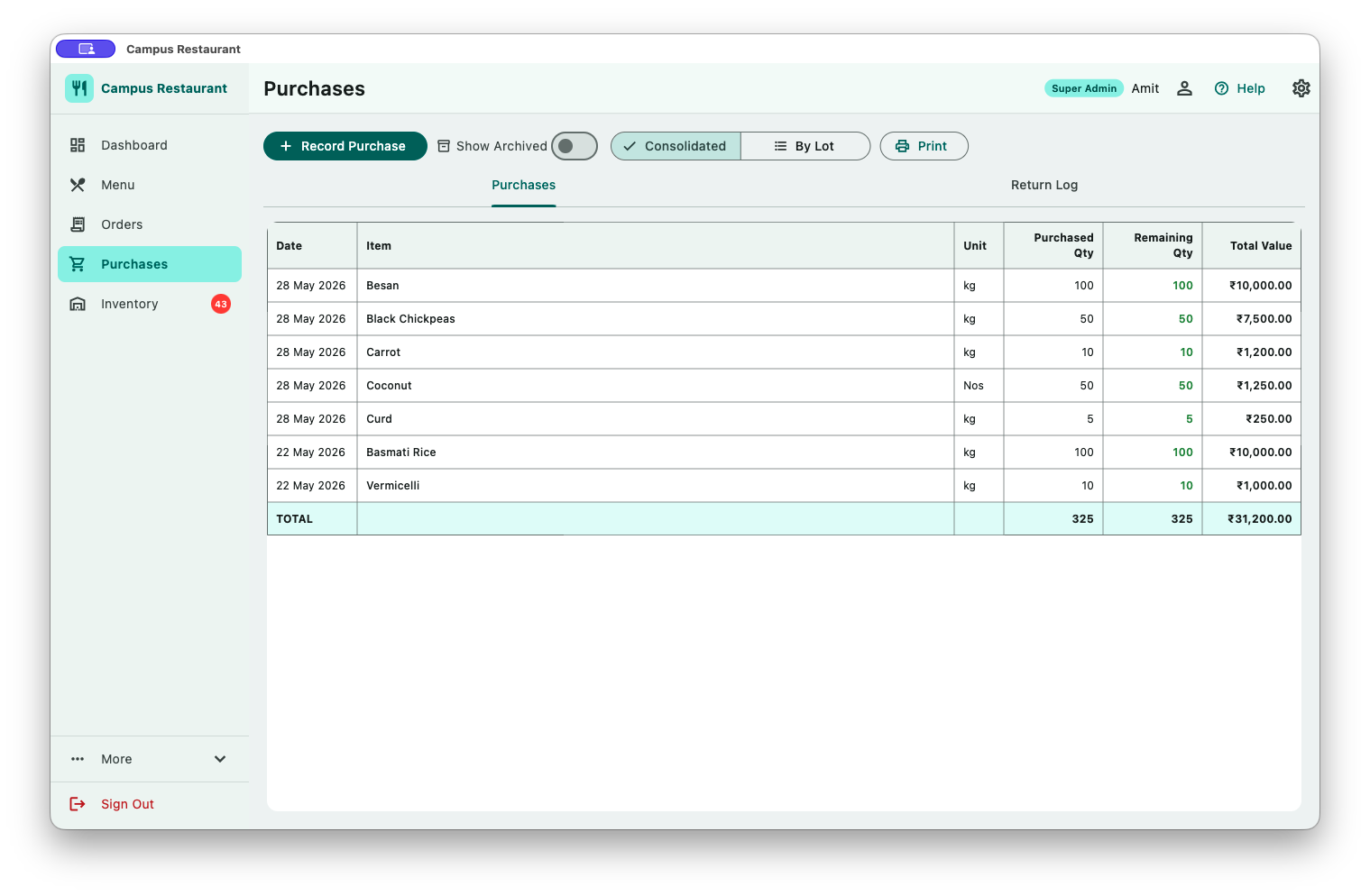
Ingredient Purchases
🛒
Ingredient Purchases
Log purchases by supplier · Track damage · Return to supplier · Print purchase report
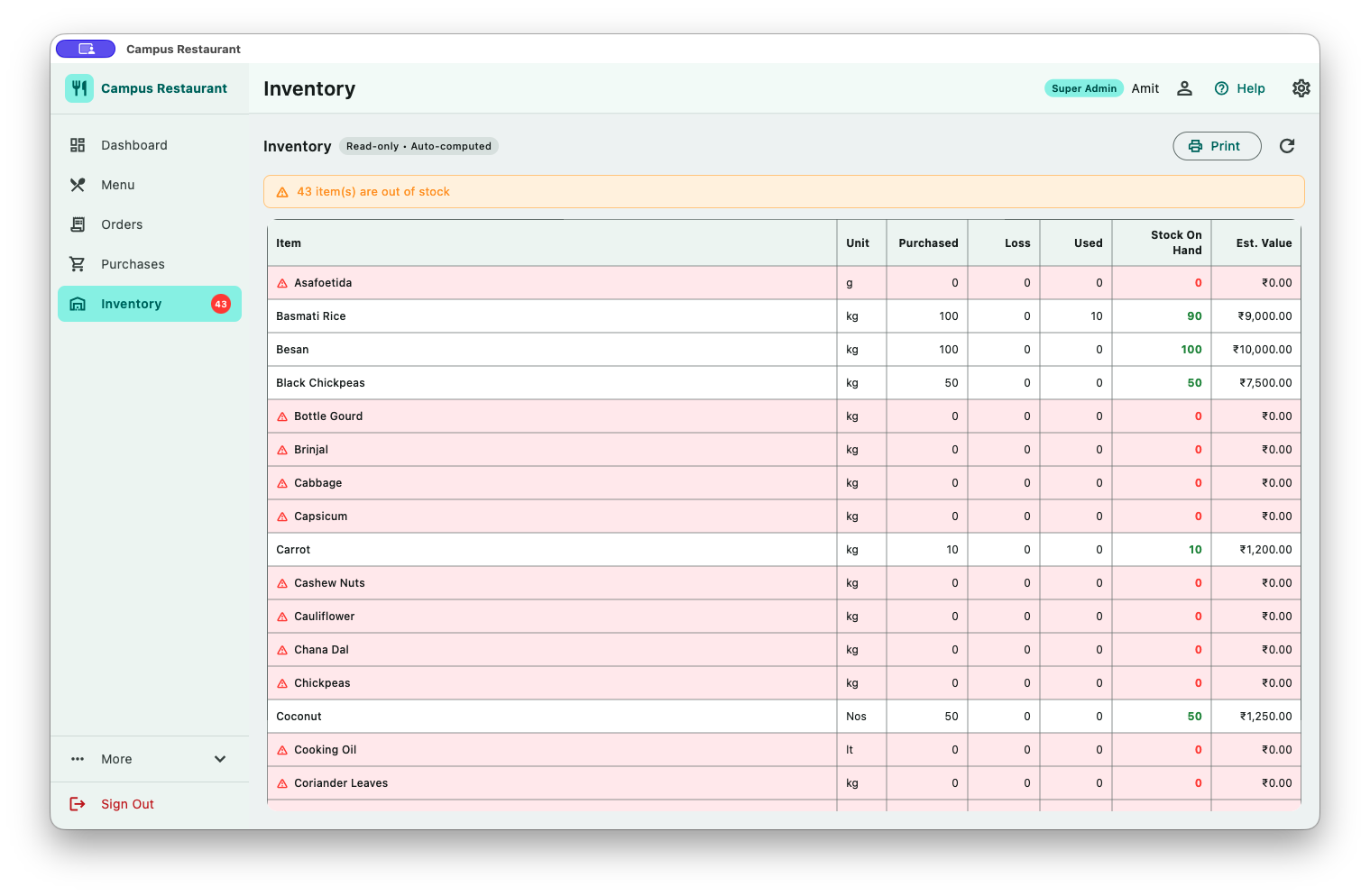
Ingredient Inventory and Stock Levels
📦
Inventory & Stock Levels
Real-time ingredient stock · Colour-coded low-stock alerts · Printable inventory report
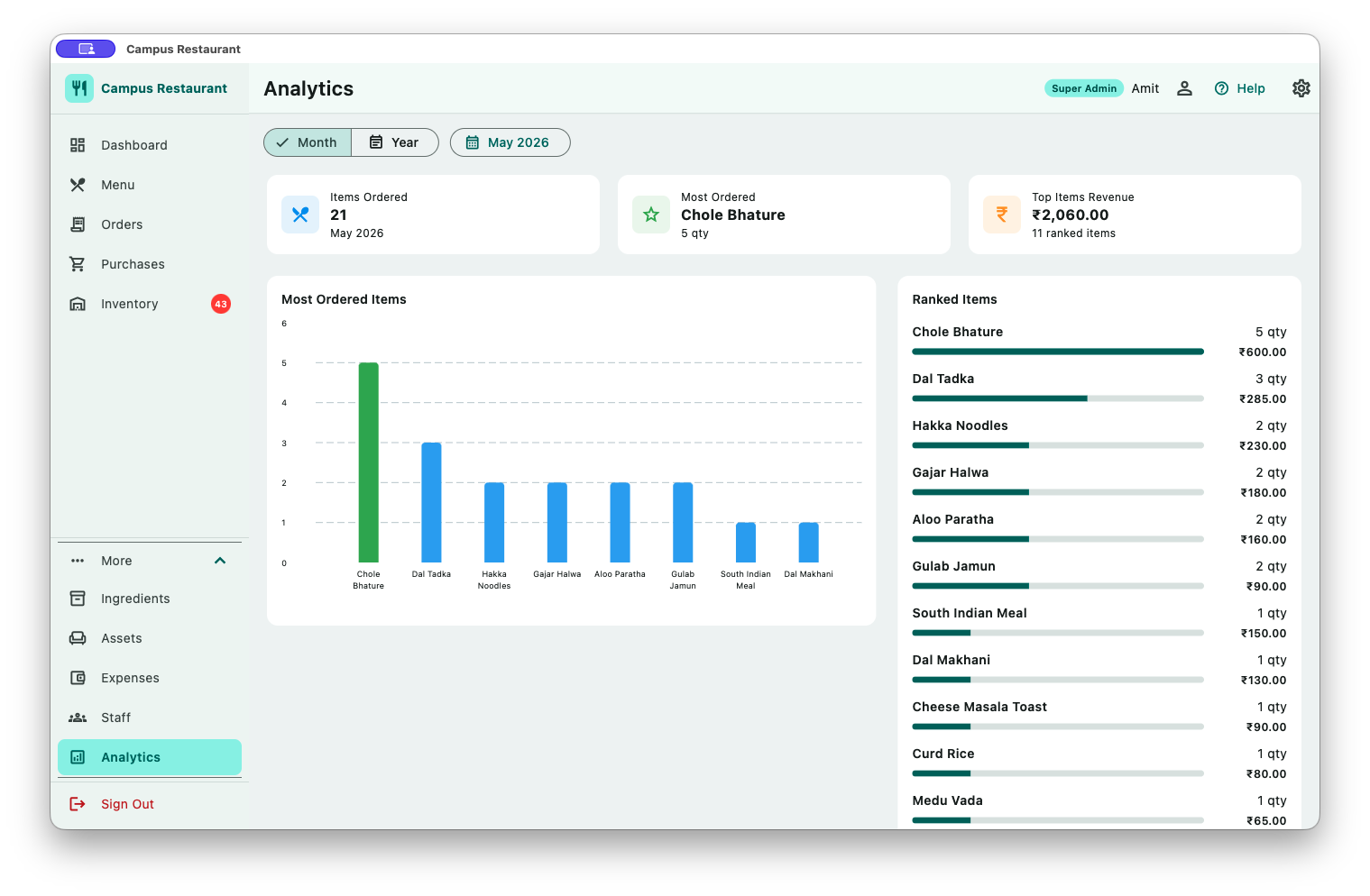
Analytics — Sales Trends and Item Performance
📈
Analytics & Insights
Sales trends by date · Top items by revenue · Revenue breakdown · Date-range comparisons

From table to settled — in three steps

📝
Placed
Order created with items & add-ons. Kitchen is notified.
Served
Items marked served one by one. Full order marked served.
💳
Paid
Payment confirmed. Receipt printed. Order closed.

Items can be added or removed from an order at any point before it is marked Paid.

Everything your restaurant needs

Built for daily restaurant operations — from the first order to the end-of-day P&L.

🧾

Order Management

Take dine-in orders with a multi-item cart, quantity controls, and per-item add-on options. Track every order through Placed → Served → Paid. Add or remove items any time before payment.

🍽️

Menu & Recipe Management

Create menu items with name, price, and custom add-on options (e.g. extra cheese, no onion). Enable or disable items instantly. View all recipes in a clean grid with search.

📋

Live Order Board

See all active orders at a glance — Placed, Served, and Paid in separate tabs. Mark individual items served as they leave the kitchen. Colour-coded order status badges.

🛒

Ingredient Purchases

Log every ingredient purchase with item, quantity, price, supplier, and date. Track damaged stock, return excess to the supplier with a reason log. Inventory adjusts automatically.

📦

Real-time Inventory

Ingredient stock levels derived from your purchase records. Colour-coded low-stock badges so you know what to reorder before service starts. Full printable inventory report.

🗂️

Ingredient Catalog & CSV Import

Centralized item master with name, description, and unit. Bulk-import hundreds of ingredients from a CSV file in seconds — no manual entry needed for new setups.

📊

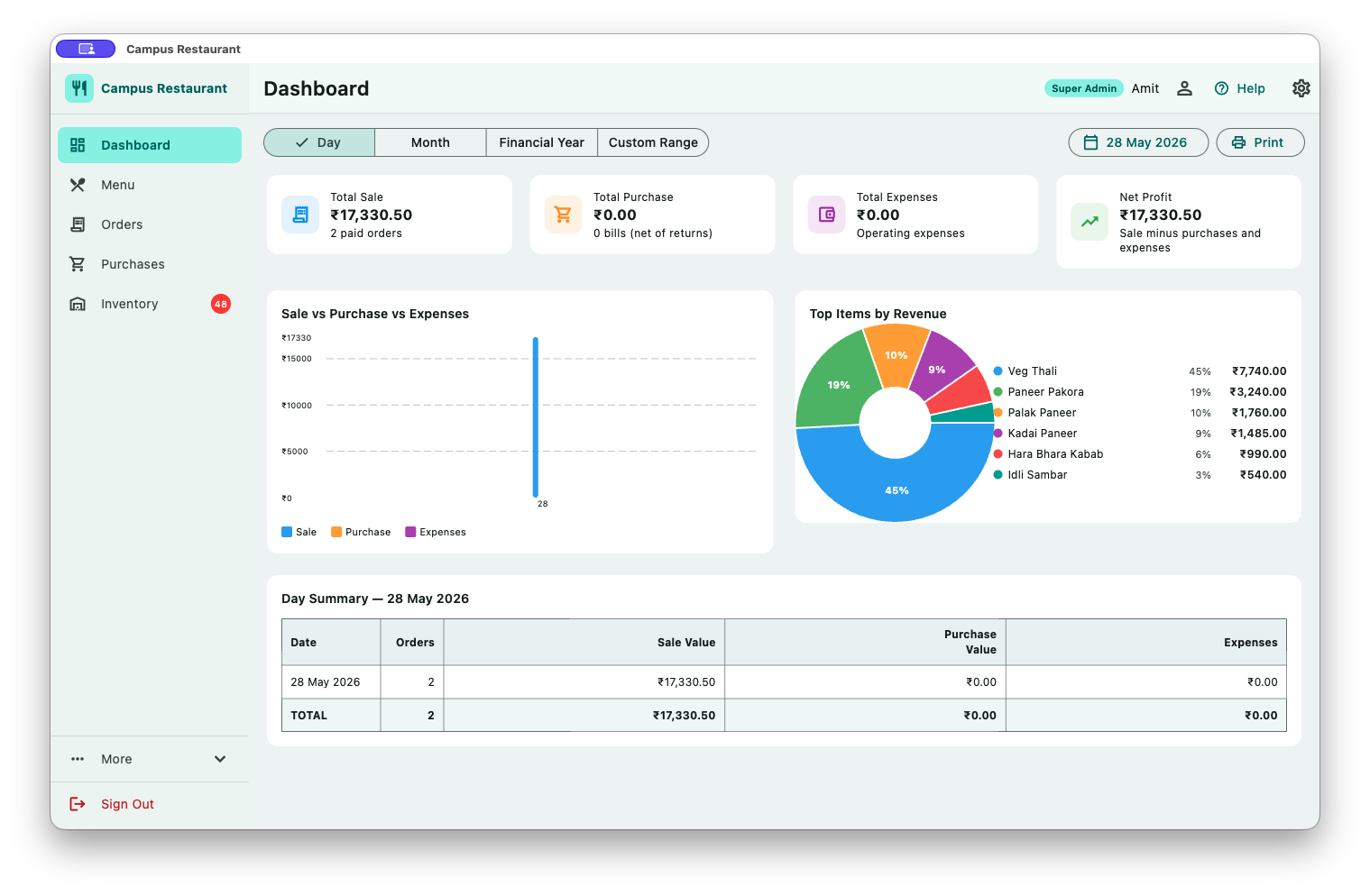
Dashboard & P&L

Daily or monthly sale vs purchase summary with overall profit/loss. Revenue vs purchase bar chart by date. Top items by revenue pie chart. All printable as formatted PDFs.

🤝

Partner Profit Share

Add business partners with their exact ownership percentage. The dashboard automatically calculates each partner's rupee share of the profit for any day, month, or custom period — transparent and settlement-ready.

🖨️

Print Everything

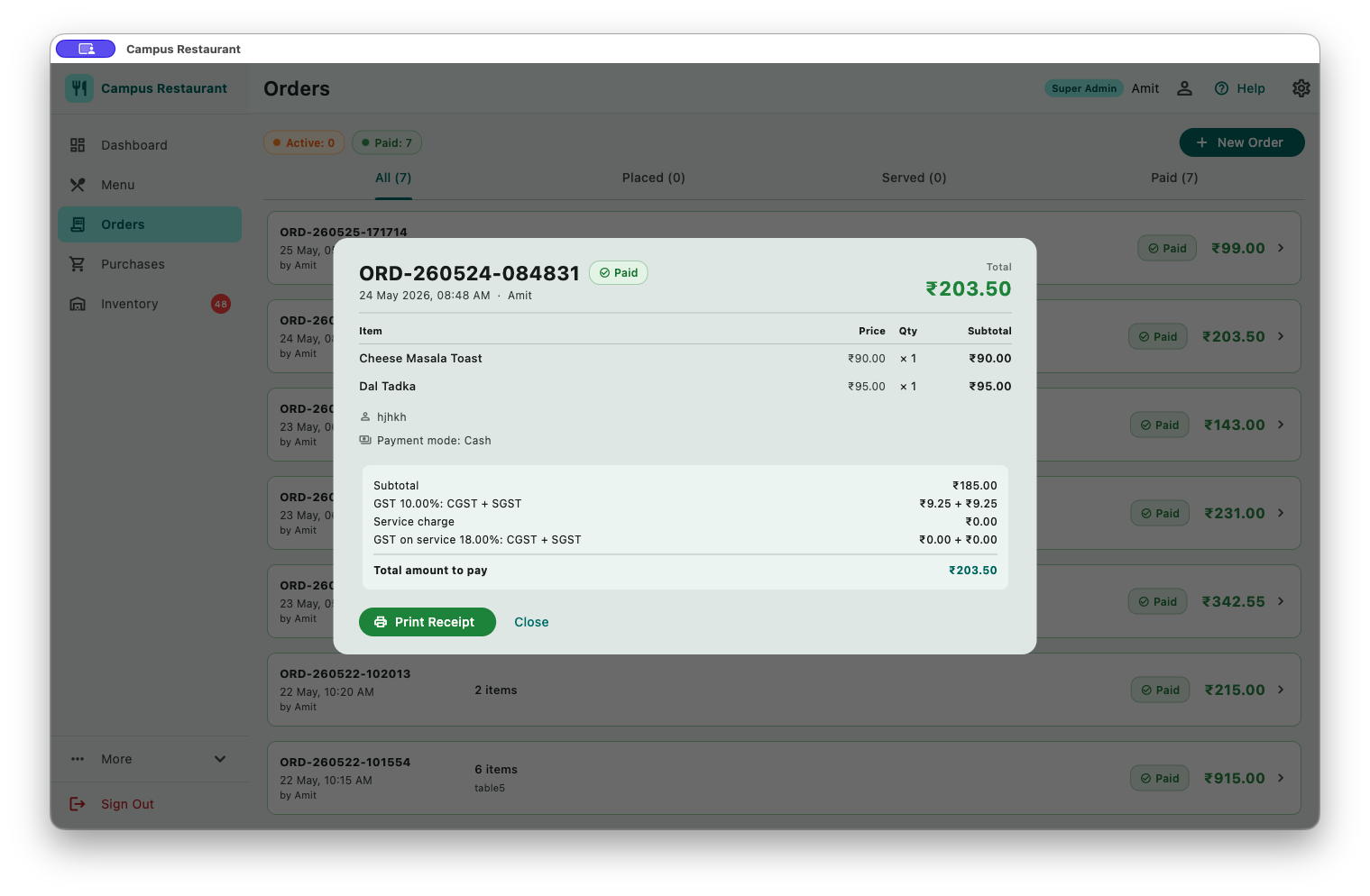
Every major section has a print button. Print PDF order receipts, the daily/monthly P&L summary, purchase log, inventory report, and partner profit share statement — all with business name and branding.

🔐

Flexible Licensing

Choose a lifetime or 1-year machine-locked license. No subscription, no cloud, no recurring fees. Manage activation directly from Settings — view expiry, apply a new key, or free the license to move machines.

👥

Multi-user & Role Management

Three roles — Super Admin, Admin, Operator — keep financial data private while giving staff exactly what they need. Manage users and display names from Settings. Secure global sign-out from any screen.

🗑️

Data Purge

Keep your database lean by purging paid orders and purchase records older than 6 months, 1 year, or 2 years. Live count of affected records shown before confirmation. Only admins can purge.

🌙

Dark Mode

Switch between light and dark themes in one click. Easy on the eyes during long evening service shifts. Setting is remembered across sessions and per user.

🔒

Fully Offline

Campus Restaurant needs no internet connection, no cloud account, and no server. All data is stored locally on your Windows PC in an encrypted SQLite database — your data never leaves your machine.
Every report, ready to print

Print formatted PDF reports from every major section — no exporting to Excel, no extra software.

A simple daily routine

From menu setup to end-of-day profit check in four steps.

1

Set Up Your Menu

Add your recipes with names, prices, and optional add-ons (e.g. extra sauce, no spice). Enable or disable items as availability changes.

2

Take Orders

Select recipes from the menu, set quantities, choose add-ons, and place the order. The order appears instantly on the board with Placed status.

3

Serve & Collect Payment

Tick items as they are served. Once all items are served, mark the order Served, then Paid when the customer settles. Print a receipt if needed.

4

Review Your P&L

Open the Dashboard to see today's total sale vs total purchase cost and net profit. Check partner shares. Switch to This Month for a full date-wise summary.

Know your numbers

Every report you need to run a profitable restaurant — no manual calculations, all printable.

Daily P&L Summary Print

Total sale, total purchase cost, and net profit/loss for the day. Bar chart showing sale vs purchase per date.

Monthly Summary Print

Date-by-date breakdown: orders placed, sale value, purchase value for every day of the selected month or custom range.

Top Items by Revenue

Pie chart and ranked list of the highest-earning menu items for any date range — know what's selling and what isn't.

Order Receipt — PDF Print

Per-order receipt with business name, itemized menu items, add-ons selected, total amount, and order date.

Purchase Report Print

Complete ingredient purchase history — supplier, quantity, price, damage noted, remaining stock per purchase.

Inventory Report Print

Current stock levels across all active purchases, colour-coded so low-stock ingredients are immediately visible.

Partner Profit Share Print

Each partner's monetary share for any period, calculated automatically from their percentage and the period's net profit.

Purchase Return Log

Complete log of goods returned to suppliers — item, quantity, date, reason, and which staff member recorded the return.

Transparent profit distribution

Add business partners with their exact ownership percentage. At the end of any day, month, or custom period, the dashboard automatically shows each partner's exact rupee share of the profit — no manual calculation, no disputes.

  • Add any number of partners with named share percentages
  • Retained business share auto-calculated from remaining percentage
  • Works for today, this month, or any custom date range
  • Printable profit share statement for settlement
🤝 Profit Distribution — May 2026 Profit: ₹18,400
RK
Ramesh Kumar
50%
₹9,200
SP
Suresh Patel
50%
₹9,200
Business (Retained)
0%

Flexible, one-time licensing

No subscriptions. No cloud lock-in. Buy the license that suits you — your machine, your data, your control.

📅
1-Year License
Active for 12 months from activation date
  • All features unlocked for 1 year
  • Machine-locked to your Windows PC
  • Expiry date visible in Settings
  • 30-day expiry warning shown at launch
  • Can free & re-activate on a new machine
Suitable for seasonal venues or trial commitment.

License keys are machine-locked — share your Machine ID from Settings → Activation to receive your key.
Contact amitsinghai.jain@gmail.com for pricing and key generation.

Right access for every person

Three roles keep your financial data private while giving your team what they need to work efficiently.

🛡️ Super Admin
  • Full access to all sections and reports
  • Create and manage all user accounts
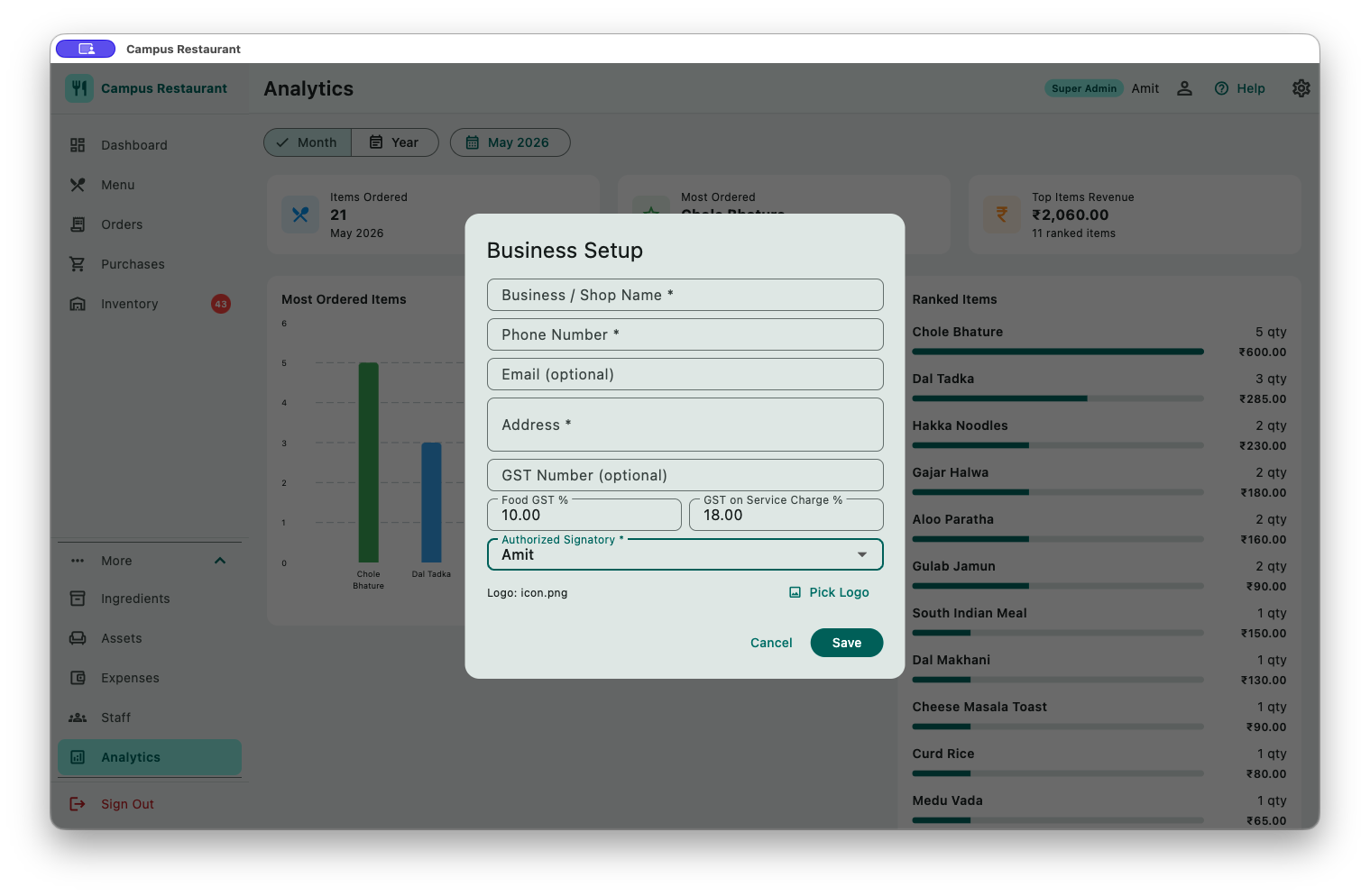
  • Configure business name and branding
  • Manage profit-share partners
  • Manage license activation
  • Purge old data
👔 Admin
  • View Dashboard, P&L, and all reports
  • Access Settings and user management
  • Manage menu items and catalog
  • Record and manage purchases
  • Manage orders (place, edit, mark paid)
  • Print any report or receipt
🧑‍🍳 Operator
  • Place new orders and add items
  • Mark items and orders as served
  • Mark orders as paid and print receipts
  • Record ingredient purchases
  • View inventory levels
  • Browse menu and ingredient catalog

Ready to manage your restaurant the smart way?

Download Campus Restaurant v1.0 for Windows — fully offline, flexible licensing, no monthly fees.

⇓ Request Download Link ✉ Contact for Pricing & License
WhatsApp Jitendra WhatsApp Amit

Windows 10/11 (64-bit) & macOS 10.15+ · Single-device install