 TheHobbyist
— Passion Driven Products
← All Software
TheHobbyist
— Passion Driven Products
← All Software
Teacher's Aide is an offline desktop app that keeps all your class administration in order — students, attendance, homework, exams, parent logs, behavior, lesson plans, reports, and more. No cloud. No subscription.
Works fully offline · Windows 10 / 11 · All data stored locally on your device
Screenshots
Real screens from the app — every section built for daily classroom use.
Today View
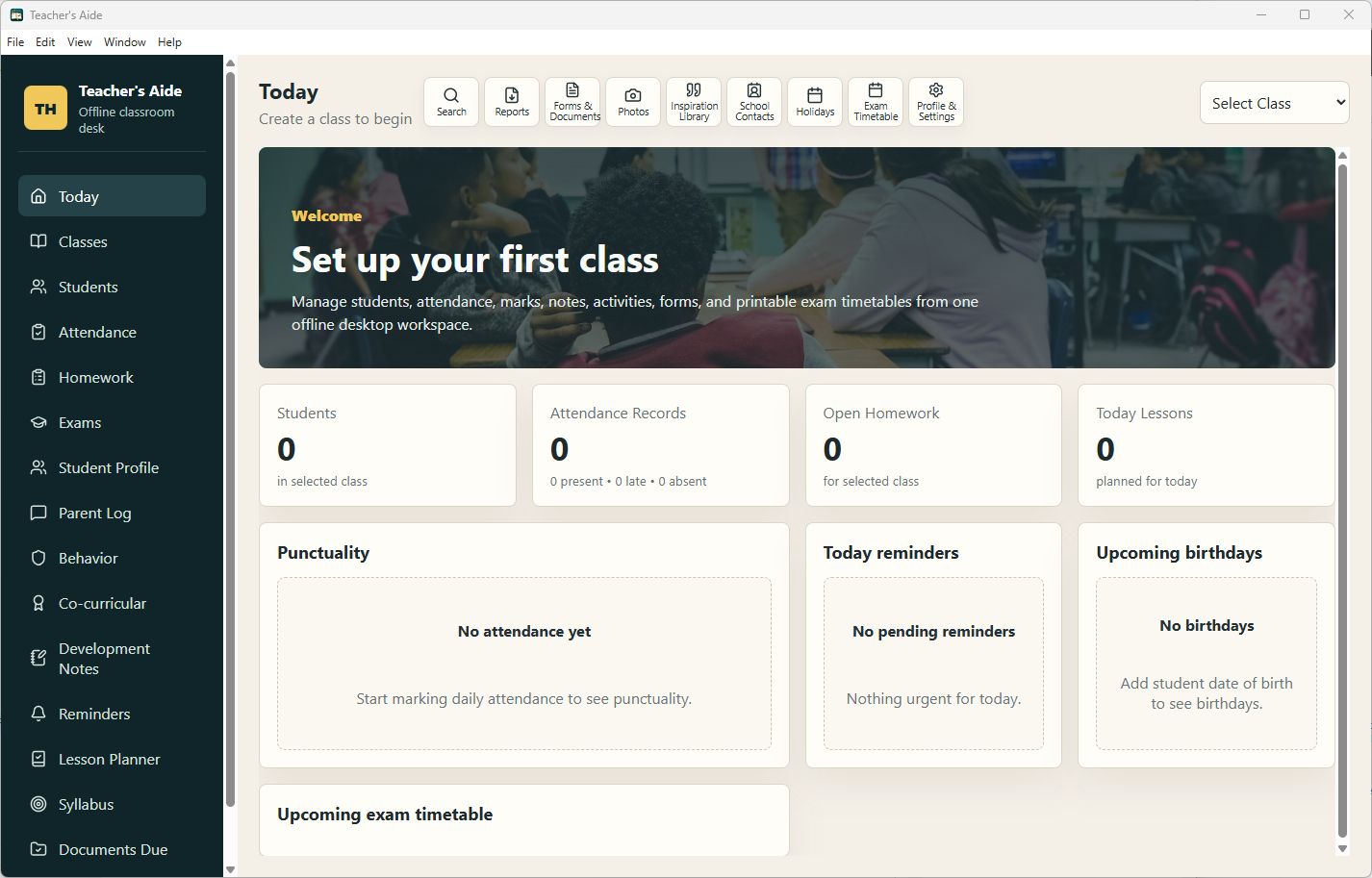
Open the app and instantly see today's reminders, lessons, student birthdays, pending homework submissions, attendance status, and upcoming exams — all on one screen.
Features
Built for day-to-day classroom administration — from the first student record to the end-of-term report.
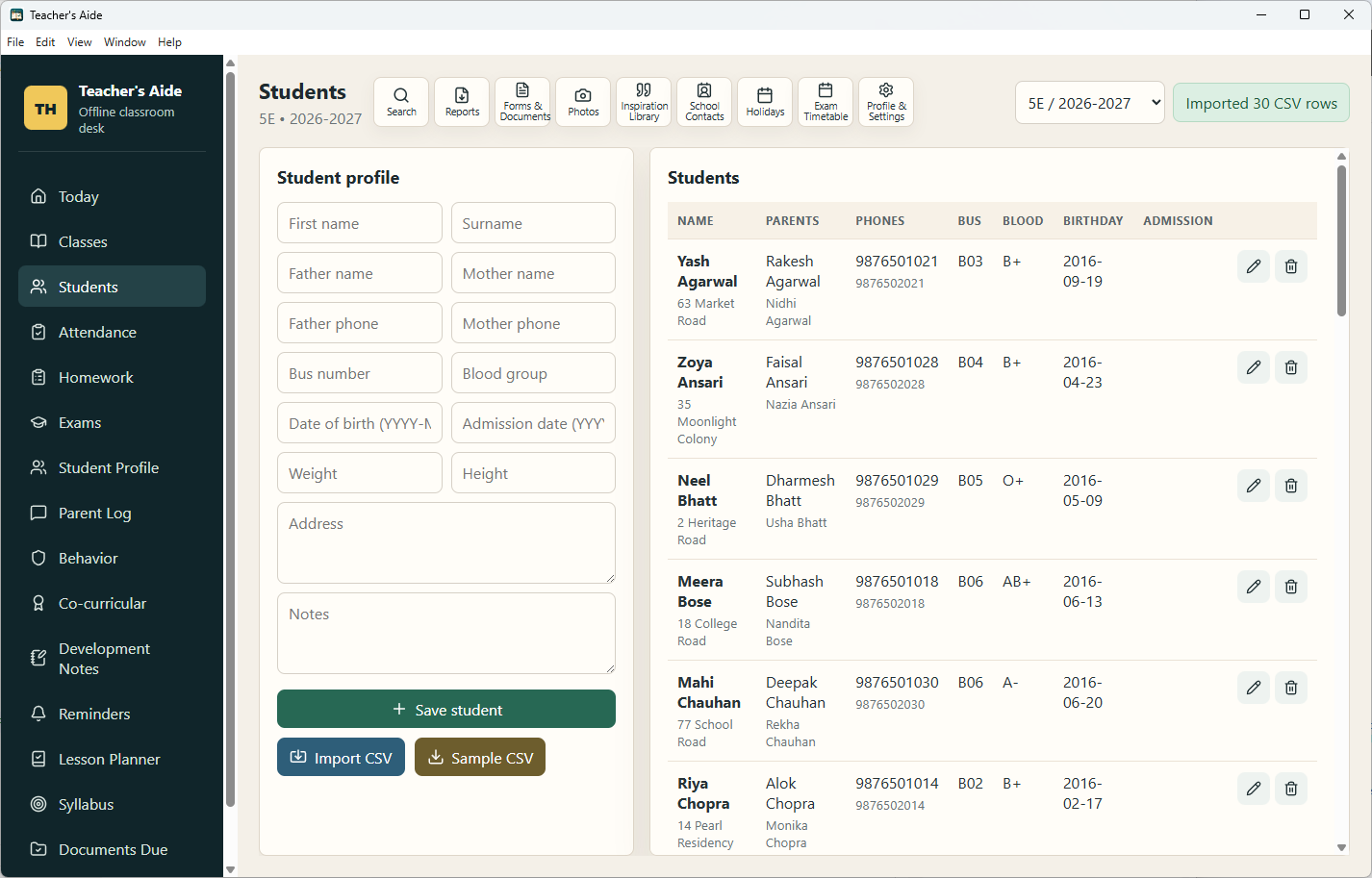
Store each student's full name, parent names, phone numbers, address, blood group, birthday, admission date, bus number, height, weight, and personal notes — all in one searchable record.
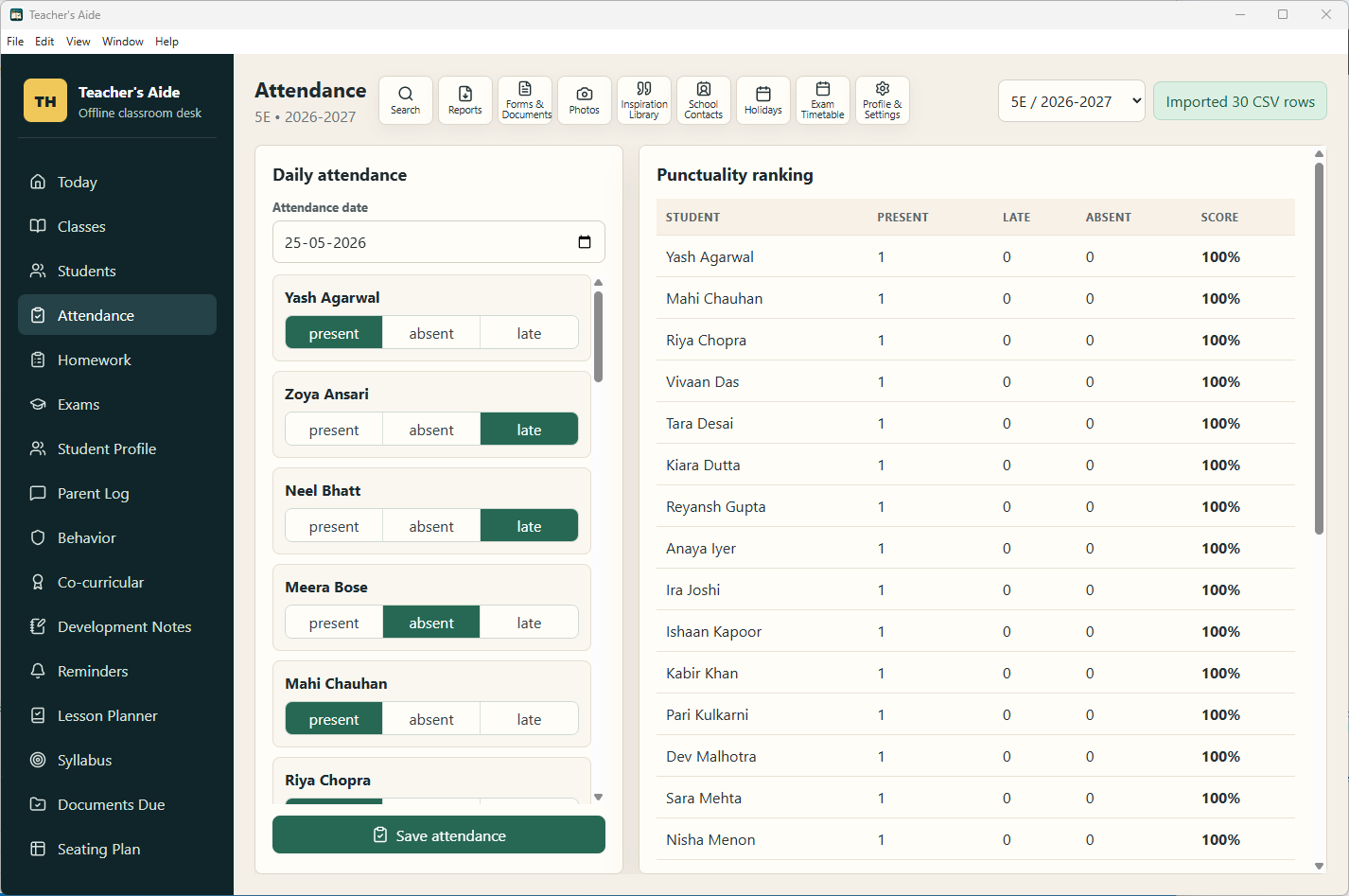
Mark daily attendance class-by-class. Log holidays so they don't count against attendance. Review attendance history per student with totals and percentages at a glance.
Log homework assignments with due dates and track each student's submission status individually. See at a glance who has submitted, who is pending, and follow up accordingly.
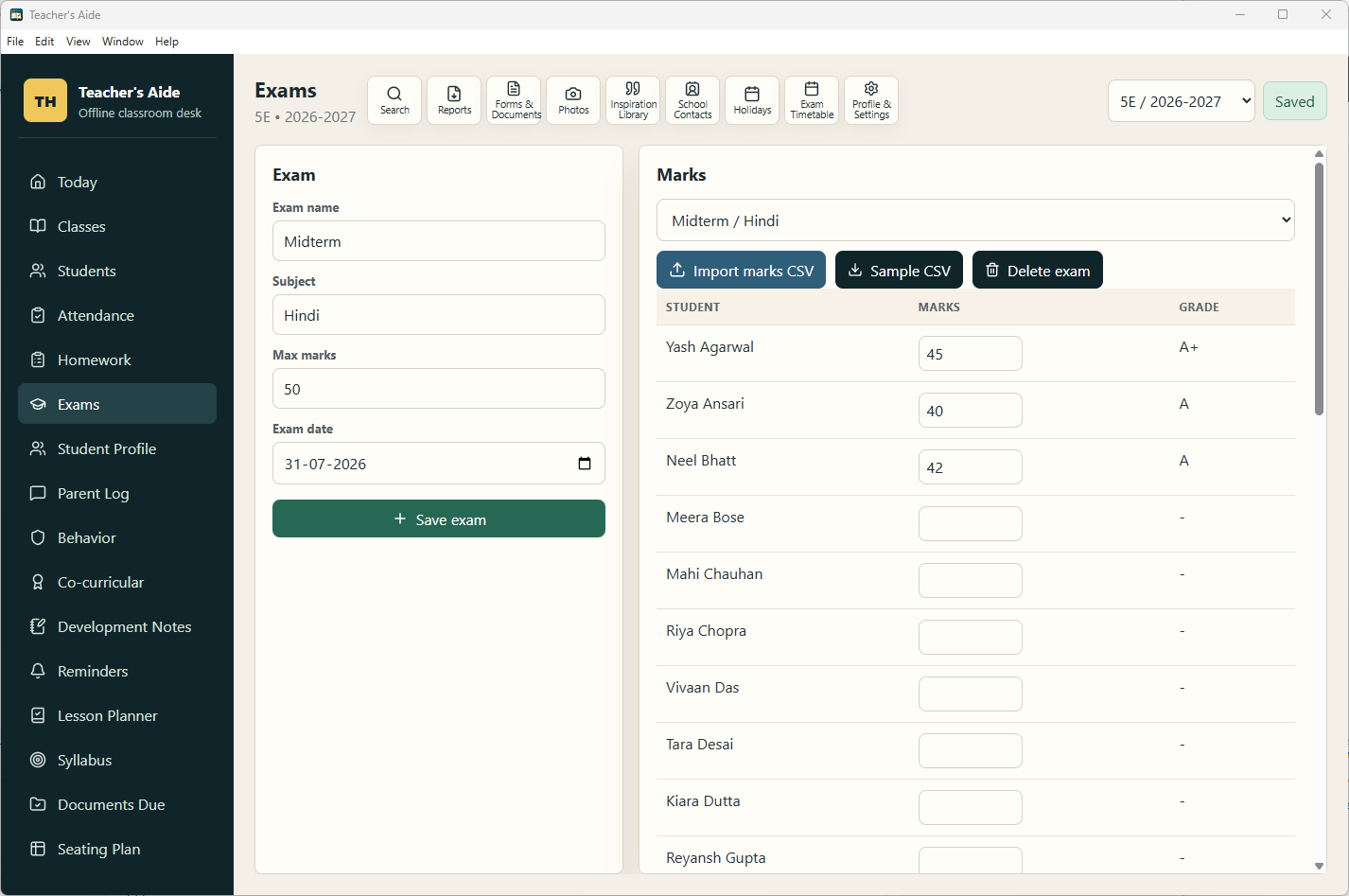
Record exams, enter marks per student, and add remarks. Import marks from CSV in bulk — no manual entry for large classes. Export results to CSV or PDF for reporting.
Log every parent meeting, phone call, and message with date and notes. Build a reliable paper trail for each student's parent interactions — useful for PTMs and reviews.
Log positive and negative behavior incidents with dates and descriptions. Maintain a clear, timestamped behavior history per student to support fair and documented assessments.
Record each student's participation in sports, arts, clubs, and events. Track achievements outside the classroom so every student's full development is captured.
Write private notes on a student's academic progress, learning style, and areas of growth. Useful for progress reports, parent meetings, and teacher handover notes.
Plan lessons by date and period with topic, objectives, and resources. Keep all your lesson plans in one place and review past plans to track coverage.
Map out the syllabus and mark chapters or topics as covered. Know at any point how much ground has been covered and what remains before the exam.
Design and save the classroom seating arrangement. Change seat assignments easily and maintain a visual layout of where each student sits in the room.
Create the full exam timetable with dates, subjects, and times. Export it as a printable PDF to share with students and parents — or paste on the notice board.
Store motivational poems, quotes, prayers, songs, and assembly thoughts. Draw from your personal library for morning assemblies, notice board content, or student motivation.
Maintain a directory of important work contacts — co-teachers, coordinators, principal, library, canteen, stationery, and external vendors. Never hunt for a number again.
Bulk-import student records from a CSV file at the start of term — no manual entry per student. Import marks from CSV directly into any exam. Sample templates built into the app.
Search across students, parents, notes, behavior records, and all other content in one box. Find any record instantly without navigating section by section.
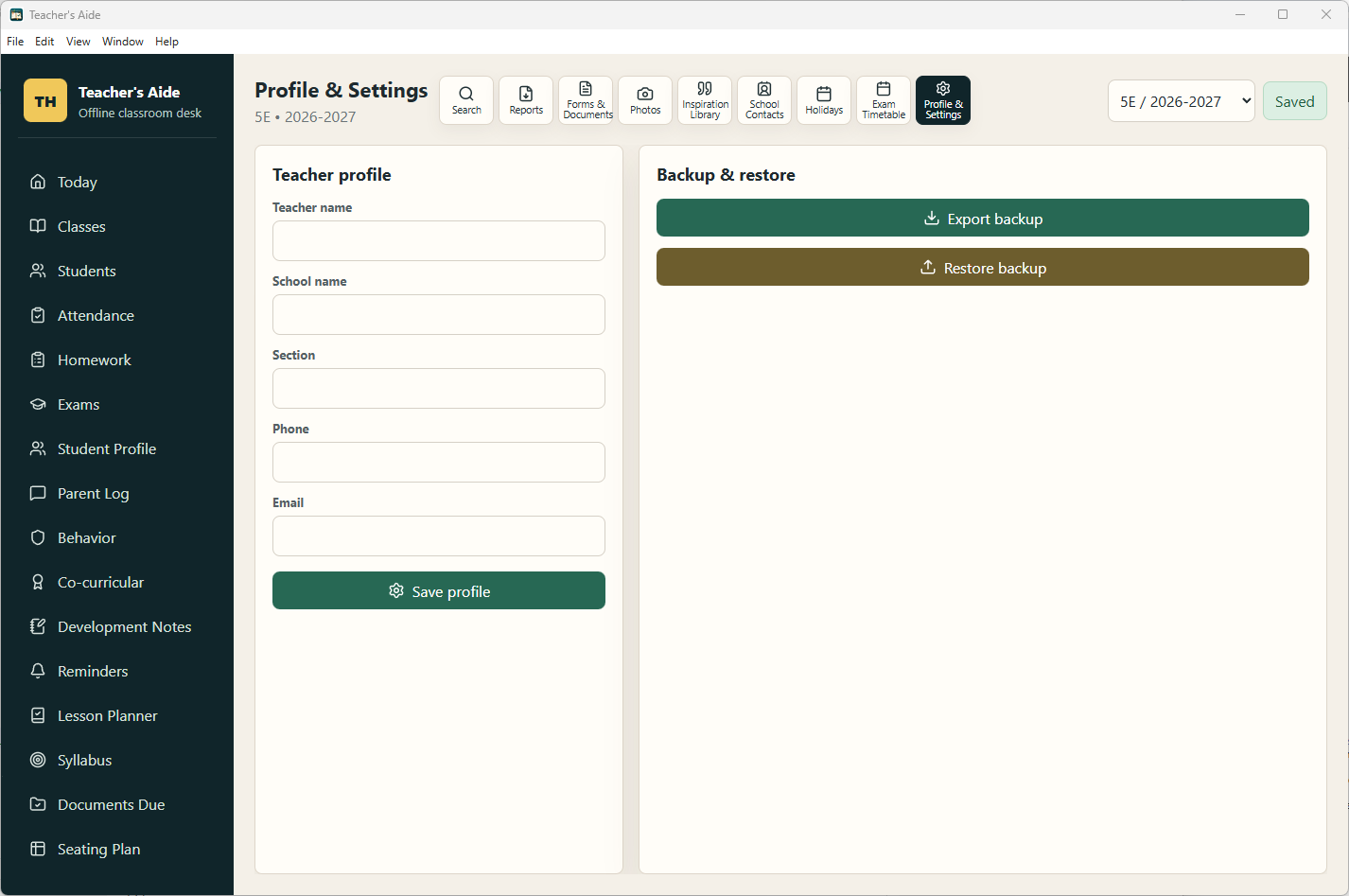
Back up all your data to a single file from Profile & Settings. Restore it on any machine or after a reinstall. Your records are always under your control.
Teacher's Aide runs entirely on your device with no internet connection, no accounts, and no cloud sync. Student data never leaves your computer — ever.
App Sections
Classroom modules and teacher utilities — everything accessible from one persistent navigation.
How it Works
From first launch to your full classroom running smoothly in four steps.
Add your academic year and classes. Each class holds its own students, attendance, homework, and exam records independently.
Upload a CSV to bulk-add the full class roster in seconds, or add students one by one with their complete profile details.
Mark attendance, log homework, record behavior, note parent conversations, and plan lessons — all from one organized sidebar.
Generate class summary PDFs, export marks to CSV, print exam timetables, and back up all your data with one click whenever you need.
Student Profile
Every student has a dedicated profile page that brings together all their records in one view — no jumping between sections to piece together how a student is doing.
Reports & Export
Export, print, and back up your records without any extra software.
A printable PDF summary of the whole class — attendance totals, exam averages, and student list with key stats.
Full exam schedule with date, subject, and time — export as a formatted PDF to print or share with students.
Export any exam's marks as a CSV for use in spreadsheets, school management systems, or grade submission portals.
Export your full class roster with all student details — useful for other school systems or year-end handover.
Download ready-to-fill CSV templates for student import and marks import directly from within the app.
Back up everything — all classes, students, records, and settings — to a single file. Restore on any device instantly.
Pricing
One price. Full access. No subscription, no hidden fees, no expiry.
Requires Windows 10 version 14316.0 or later · ~163 MB download · Sign in with Microsoft account to install on up to 10 devices
FAQ
Everything you need to know before you buy.
Teacher's Aide is on the Microsoft Store — one-time purchase, fully offline, every record in one place. No subscription, no cloud, no tracking.
Windows 10 / 11 · One-time ₹199 · Install on up to 10 devices · No subscription