Campus Store is a complete shop management system for vegetable shops and campus stores — purchases, sales, demand, inventory, P&L, partner profit share, and flexible licensing, all in one offline app.
Works fully offline · Windows 10 / 11 (64-bit) · No subscription required
Watch & Learn
Two short videos — why this app exists, and how to set it up and use it daily.
Screenshots
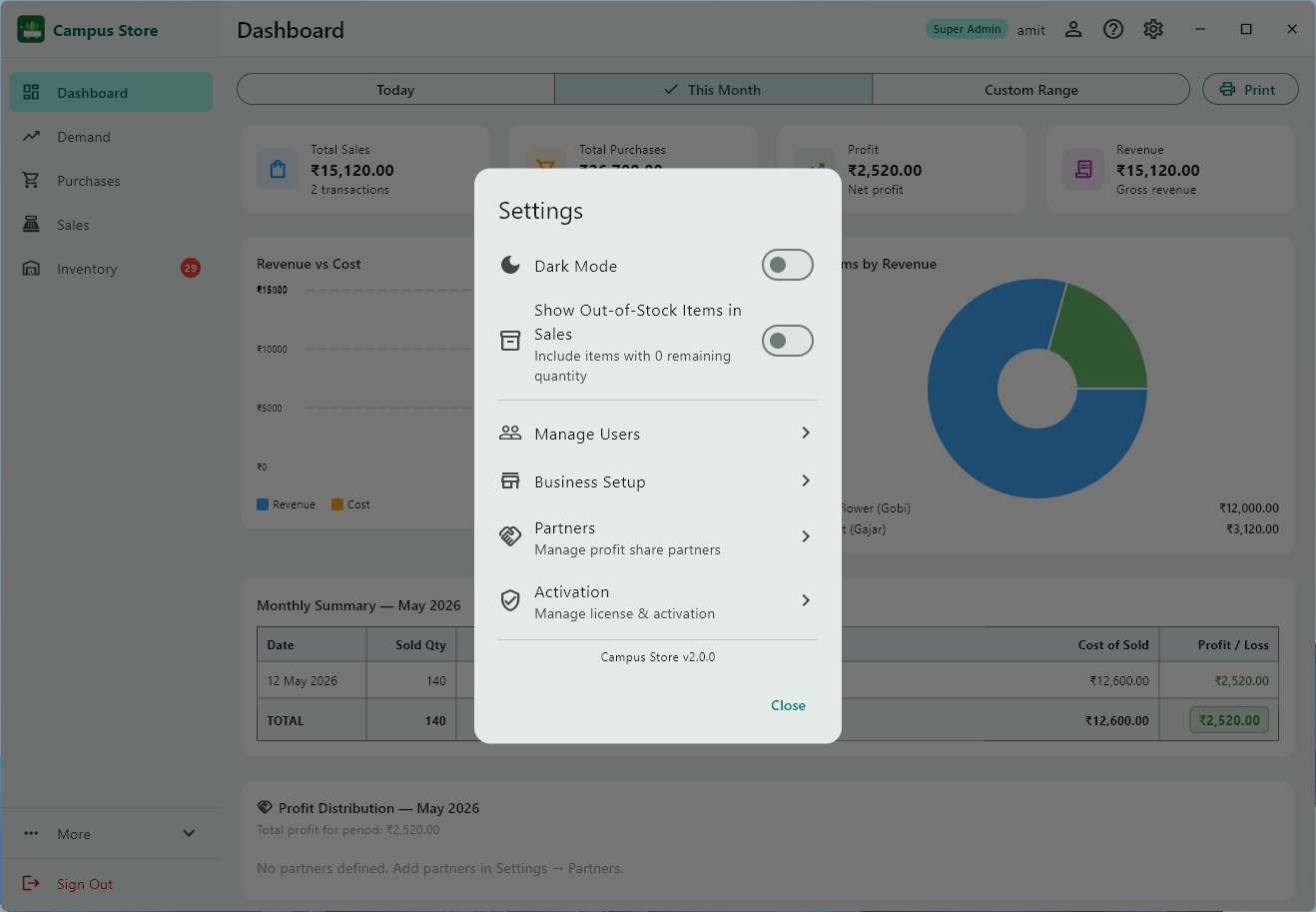
Real screens from the app — every section designed for daily shop use.
Features
Built for daily shop operations — from the first demand to the final P&L report.
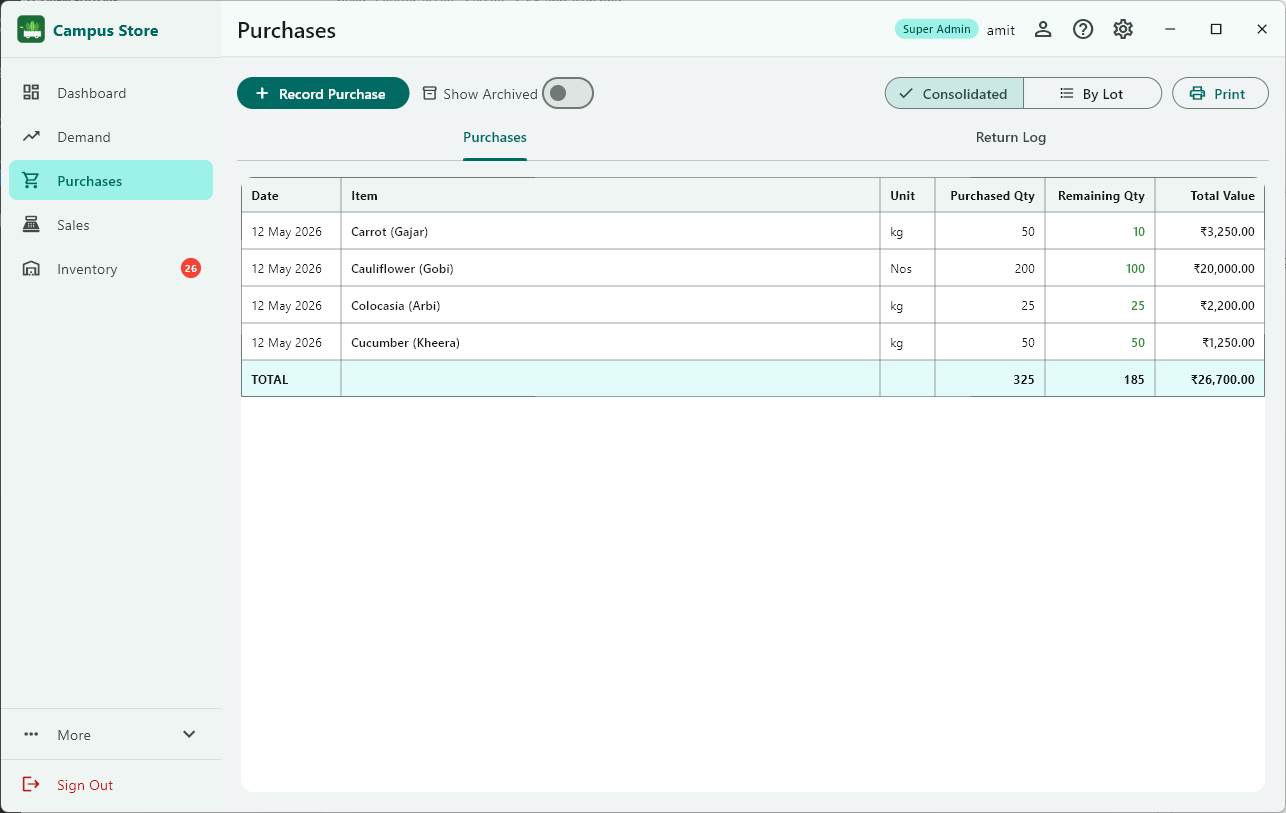
Record every purchase lot with item, quantity, price, supplier, and date. Track remaining stock, log damage, and return excess goods to suppliers — all without a spreadsheet.
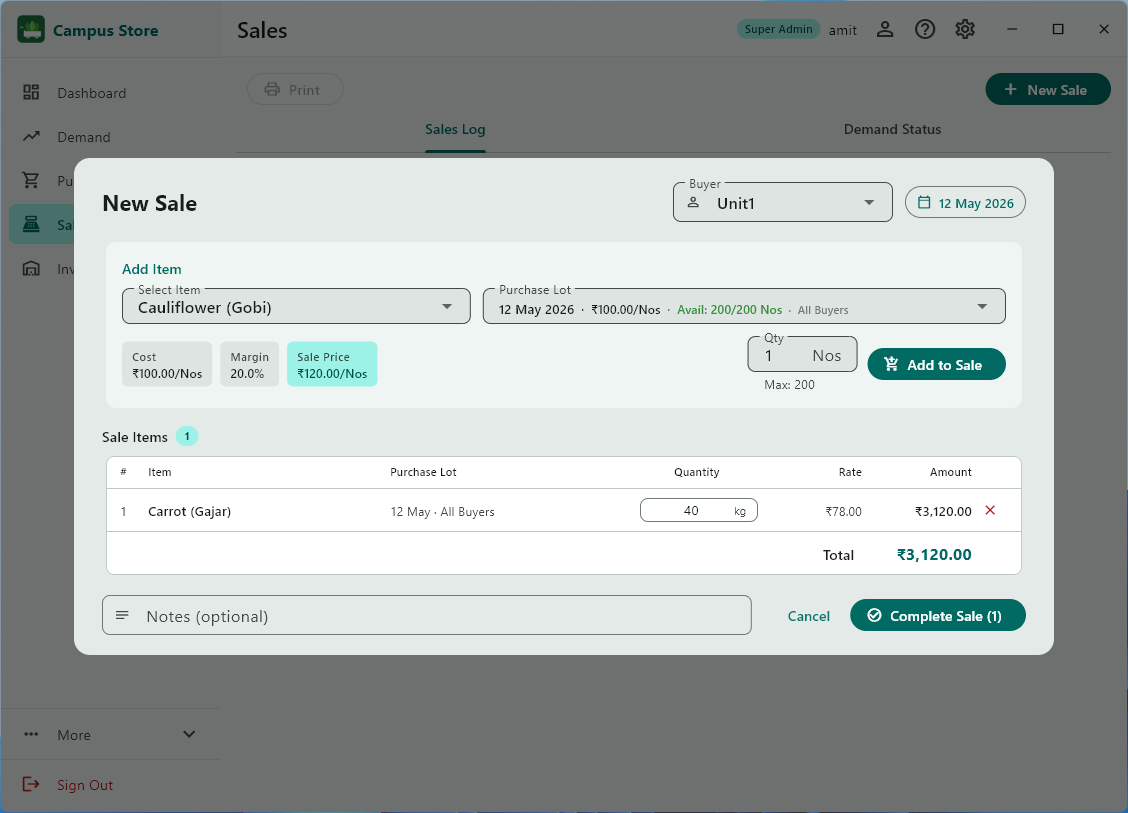
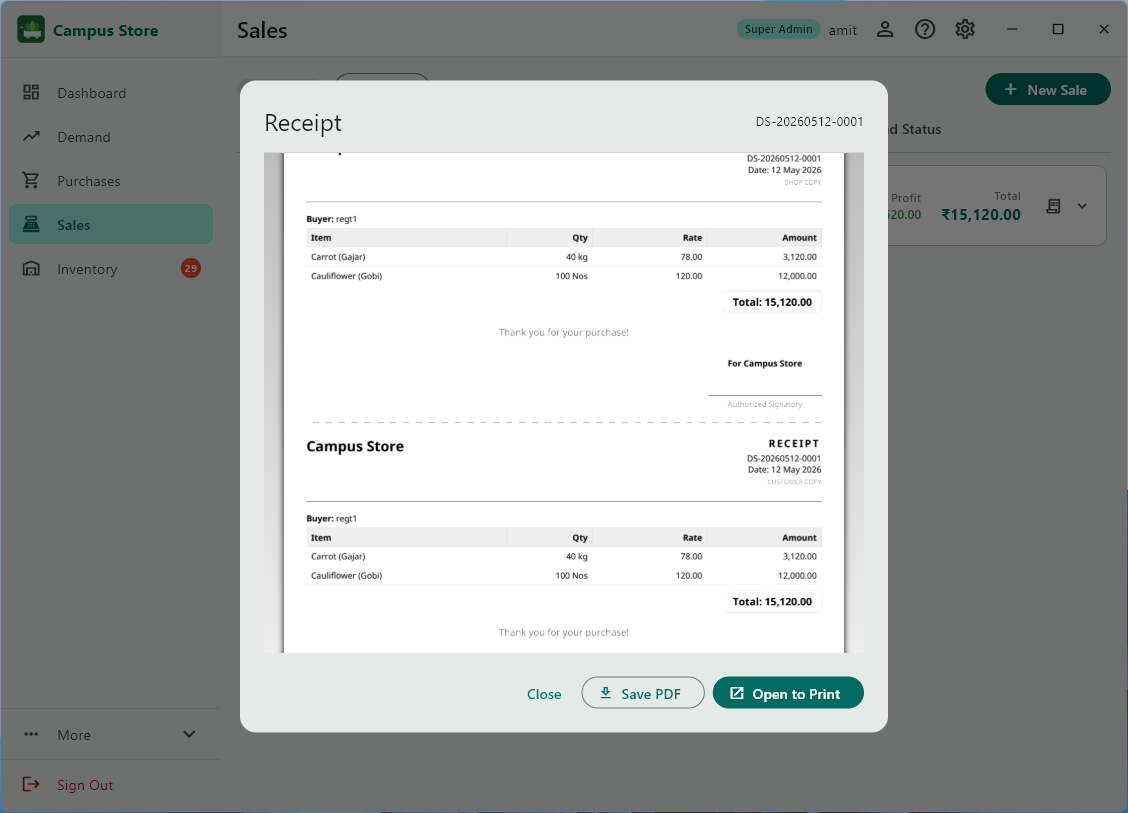
Log multi-item sales against registered buyers, auto-deduct from purchase lots, and generate professional two-copy PDF receipts instantly. Full transaction history with date filters.
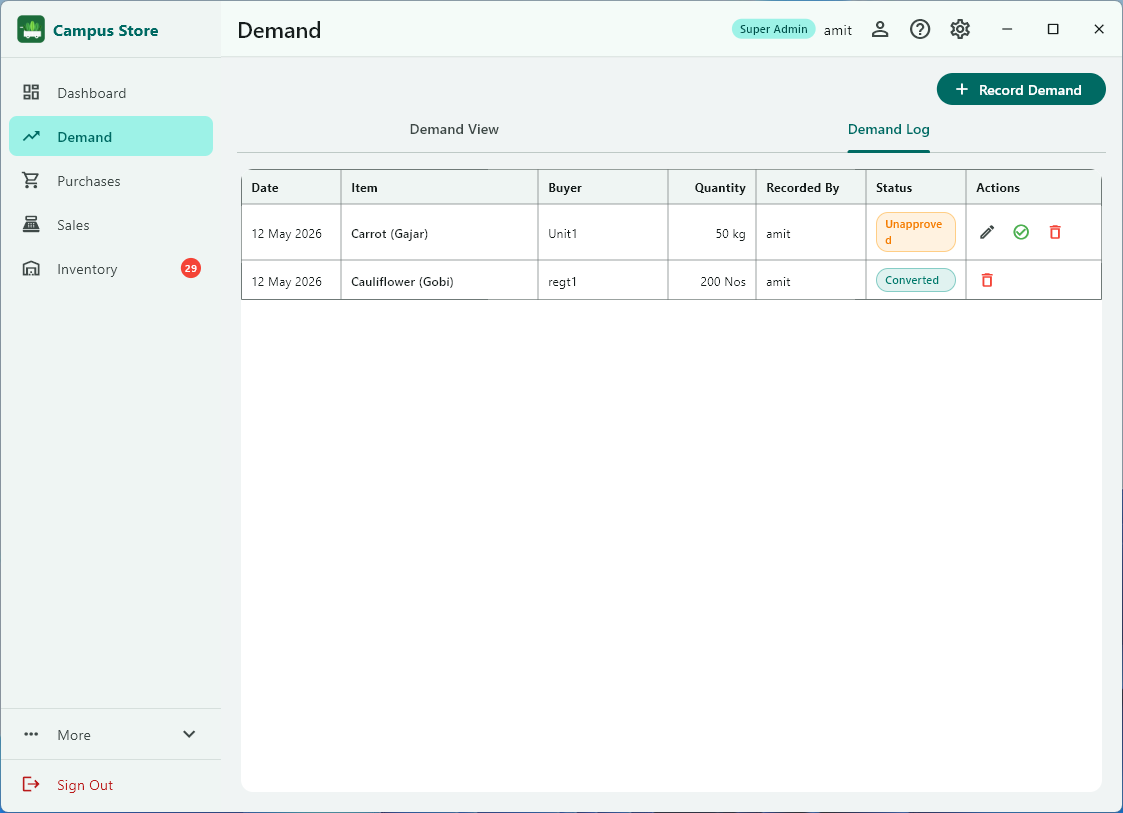
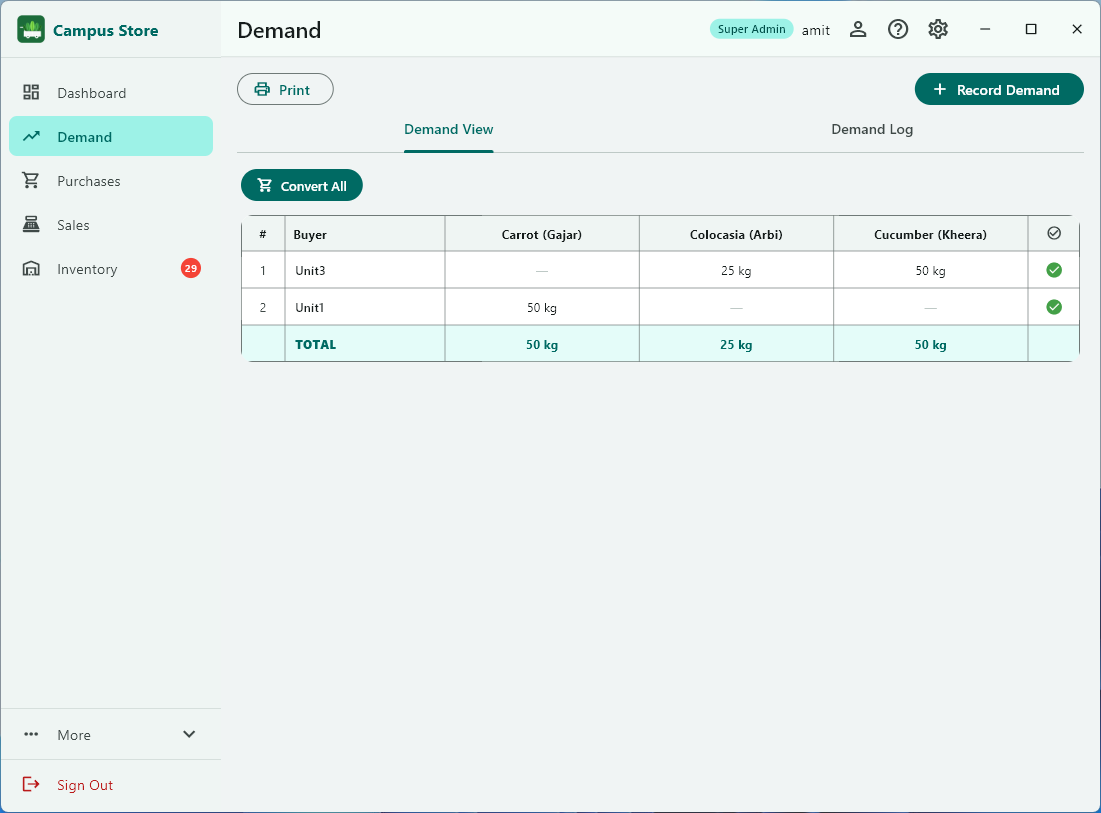
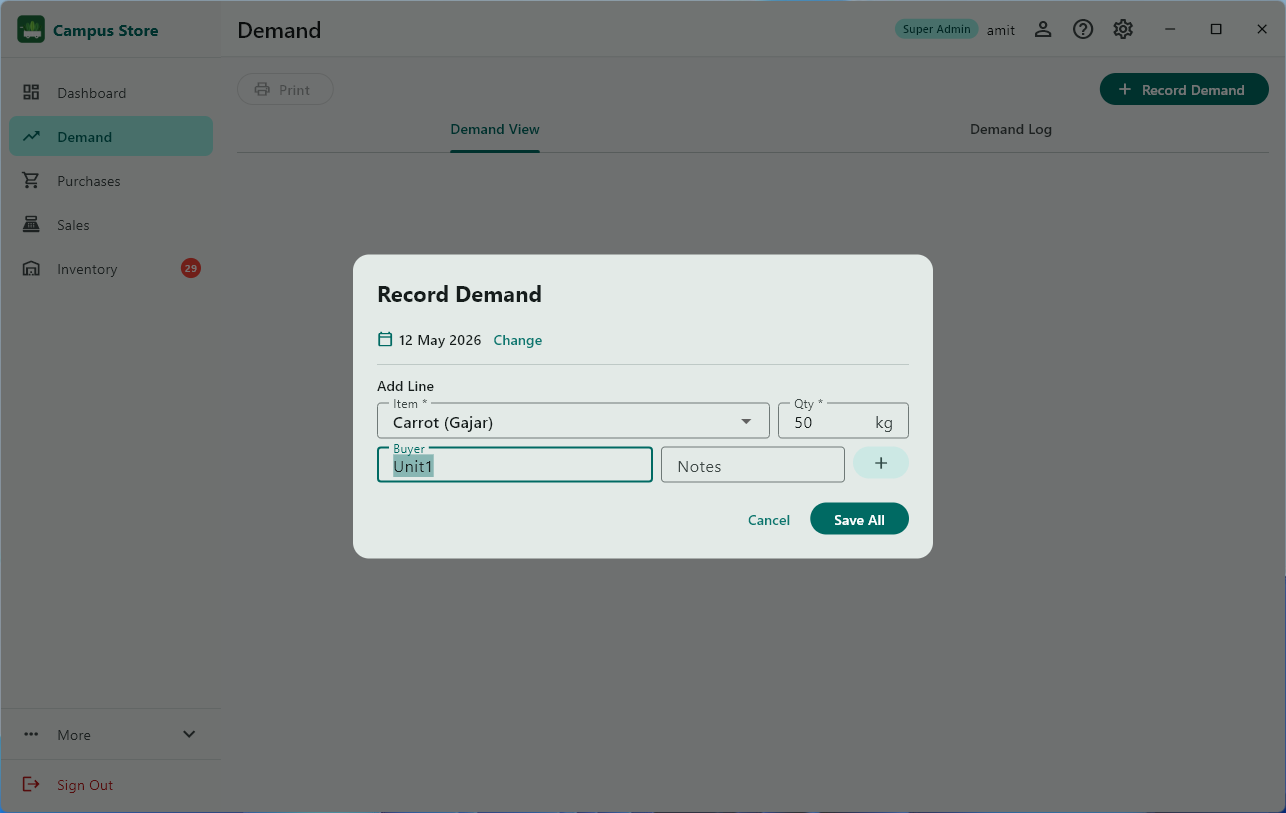
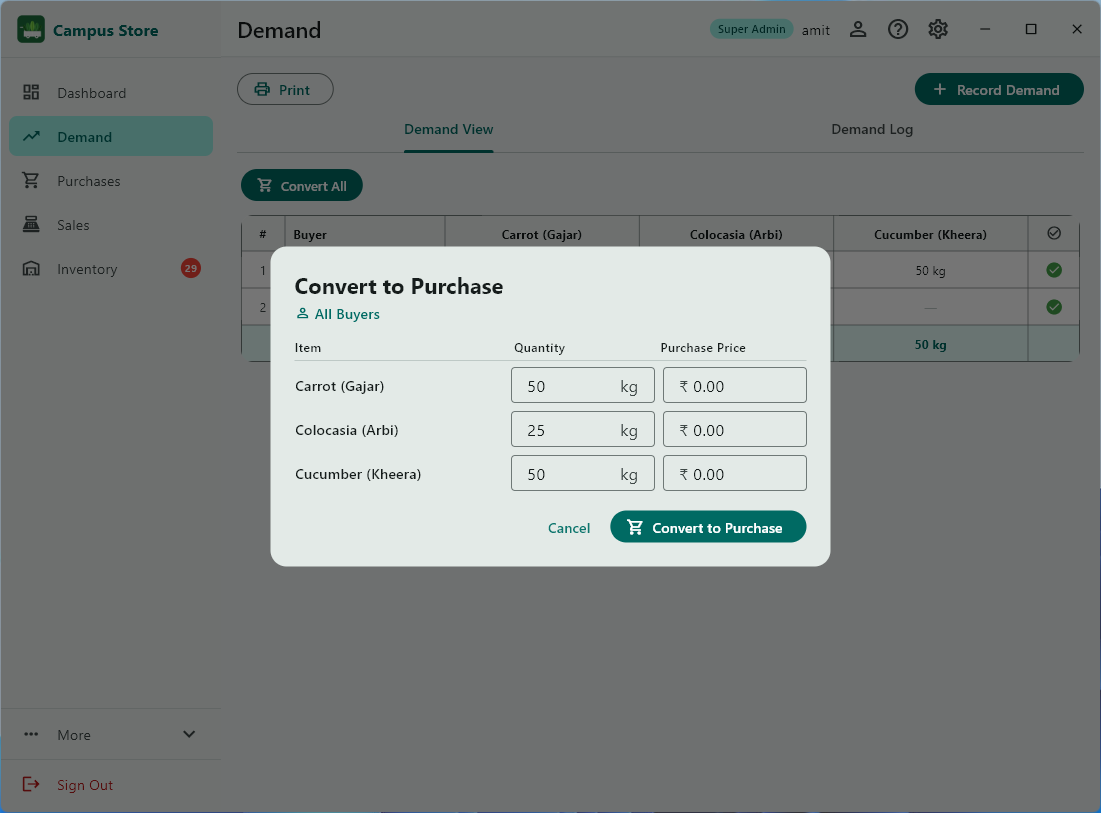
Capture buyer orders before purchasing. Approve demands, convert them to purchases in one click, and print a consolidated demand sheet for the morning market run.
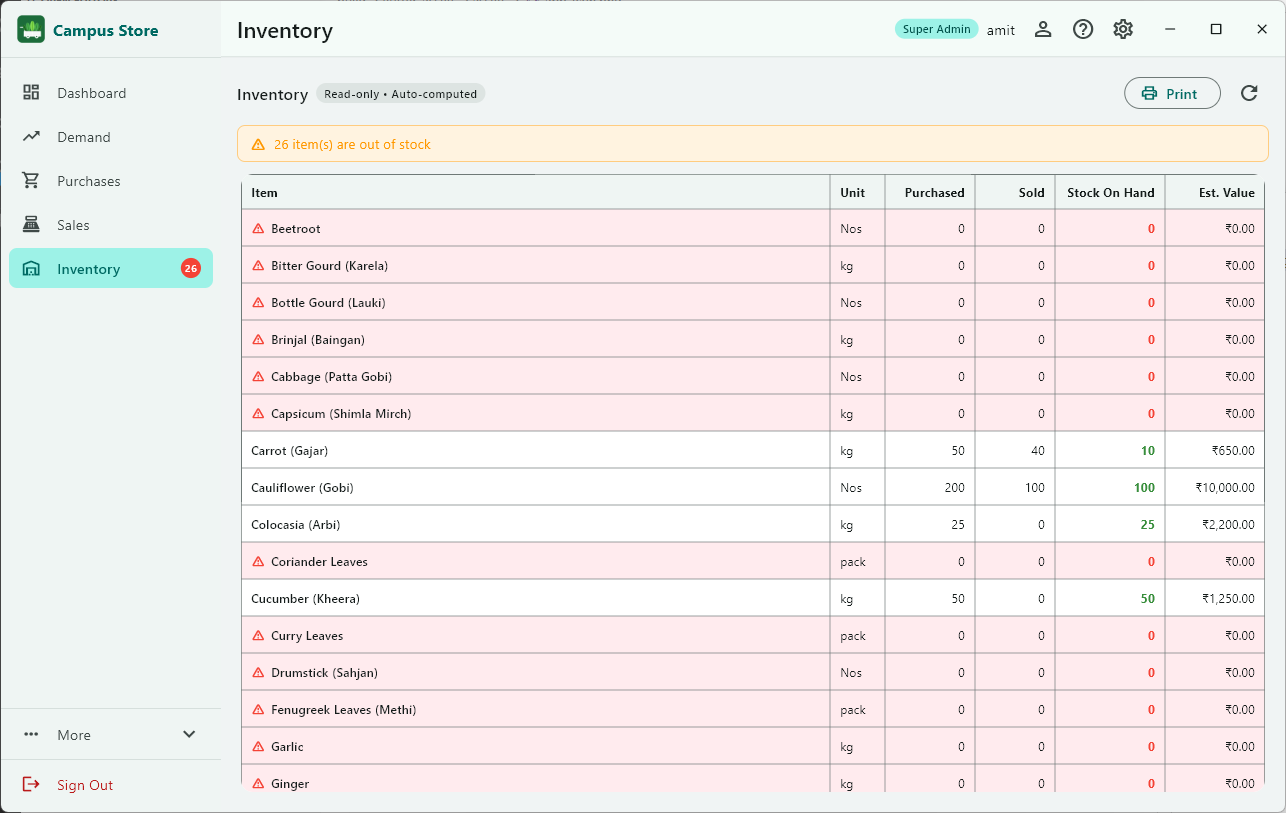
Real-time inventory across all active purchase lots. Colour-coded badges — red when critically low — so you never run out of a key item without advance warning.
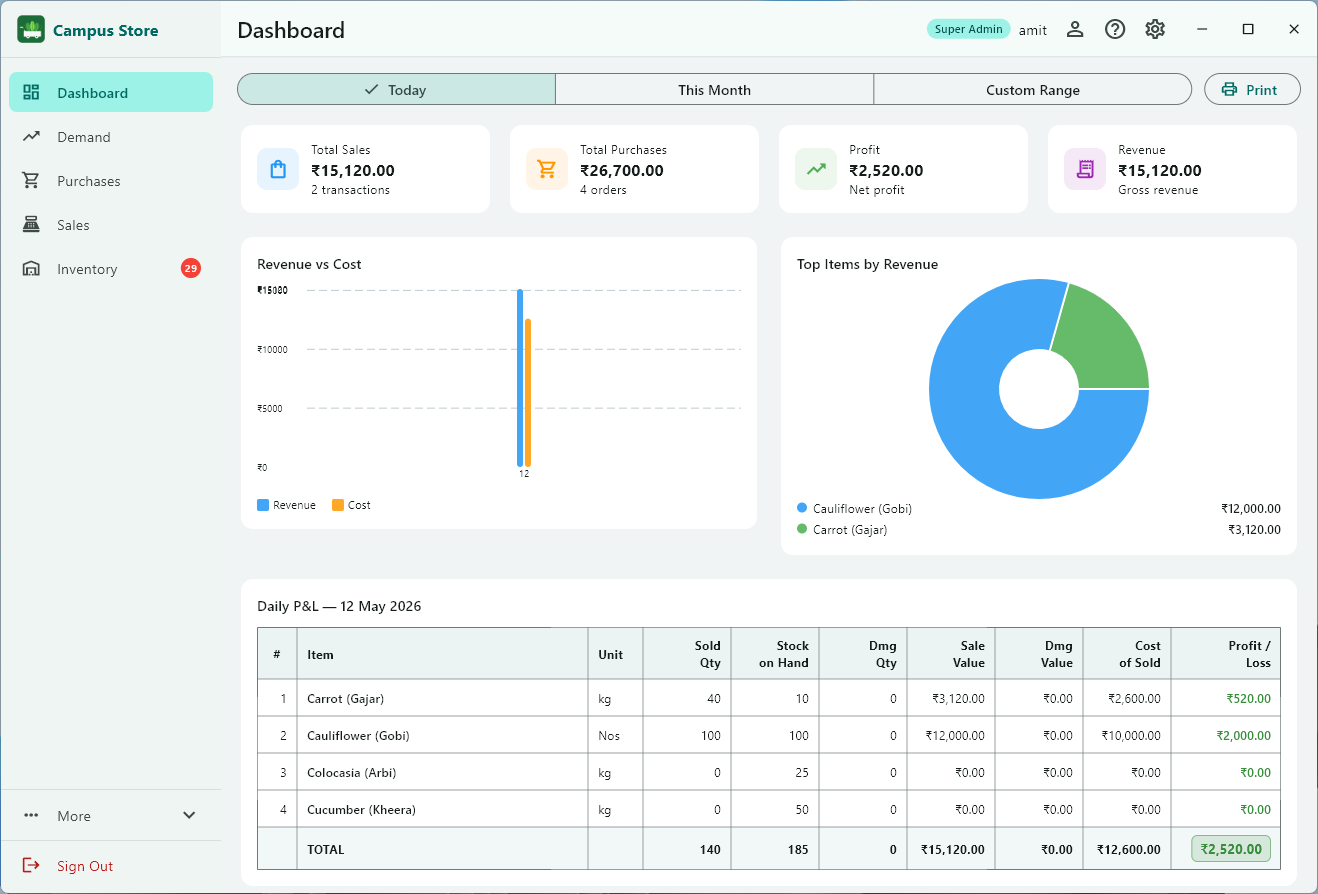
Daily item-wise P&L or month-wise date summary. Revenue vs cost bar chart, top items pie chart, and partner profit-share breakdown — with full print support.
Compare what each buyer demanded against what was actually sold, per item. Spot shortfalls at a glance — red rows mean a buyer received less than they ordered.
Return excess or wrong stock to the supplier with no P&L impact. Every return is logged with quantity, date, reason, and who recorded it — inventory adjusts automatically.
Demand predictions per item based on historical buying patterns. Know what to buy and how much before you talk to the supplier — reduce waste and shortfalls.
Add business partners with their exact share percentage. The dashboard automatically calculates each partner's rupee share for any date range — transparent, printable, settlement-ready.
Every section now has a print button. Print the daily P&L, monthly summary, inventory report, purchase log, demand sheet, and sales receipts — all as formatted PDFs.
Choose a lifetime or 1-year license. Each license is machine-locked to your device. Manage activation directly from Settings — view expiry, apply a new key, or free the license to move machines.
Edit display names for all users. Admins manage user accounts and roles from Settings. Global sign-out ensures operators and admins can switch accounts securely from any screen.
Keep your database lean with one-click purge of transaction records older than 2 years. Preview the exact count of sales, purchases, returns, and demand entries before confirming — item catalog and buyer list are never affected.
Print & Export
Print formatted PDF reports from every major section — no exporting to Excel needed.
Item-wise daily report or date-wise monthly summary — exactly as shown on screen, printable in one click.
Complete stock-on-hand across all active purchase lots, colour-coded by remaining percentage.
Full purchase log with item, supplier, quantity, price, damage, and remaining stock per lot.
Two-copy receipt — shop copy and customer copy — with business name, address, and authorized signatory.
Consolidated approved demands by item — print before heading to the market to buy stock.
Profit distribution per partner for any period — ready for financial settlement meetings.
Partner Profit Share
Add business partners with their exact ownership percentage. At the end of any day, month, or custom period, the dashboard automatically shows each partner's exact rupee share of the profit — no manual calculation, no disputes.
Licensing
No subscriptions. No cloud lock-in. Buy the license that suits you — your machine, your data, your control.
License keys are generated per machine ID — share your Machine ID from Settings → Activation to receive your key.
Contact amitsinghai.jain@gmail.com for pricing and key generation.
How it Works
From morning demand to end-of-day P&L in four steps.
Record what each buyer wants. Approve confirmed orders and print a consolidated demand sheet before heading to the market.
Buy stock and enter each purchase lot — item, quantity, price. Convert approved demands to purchases in one click.
Log each sale against a buyer. Stock is auto-deducted from the correct purchase lot. Generate PDF receipts on the spot.
Check today's P&L, inventory levels, and partner profit share. Print any report. Switch to This Month for a full date-wise summary.
Reports & Insights
Every report you need to run a profitable shop — no manual calculations, all printable.
Sold qty, stock on hand, damage qty, sale value, damage cost, purchase cost of sold, and net profit — one row per item.
Day-by-day summary: sold qty, sale amount, cost of sold, and profit for every date in the selected period.
Buyer × item comparison for any date range. See exactly who got less than they ordered and by how much.
Current stock across all active lots — colour-coded by remaining percentage so low-stock items stand out immediately.
Full purchase history by lot — supplier, quantity, price, damage recorded, remaining qty, and return log.
Monetary share for each business partner based on their percentage, calculated for any date range selected.
Two-copy receipt (shop + customer) with shop name, address, authorized signatory, and itemized sale details.
Full history of stock returned to suppliers — item, lot, quantity, date, reason, and operator name. No P&L impact.
User Roles
Three roles keep your financial data private while giving staff what they need to work.
FAQ
Everything you need to know before you download.
%AppData%\Campus Store\campus_store.db. Reinstalling or updating the app does not delete this file. As long as the file is in place, all your historical data is preserved. We recommend backing this file up regularly.Download Campus Store v2.2 for Windows — works fully offline, flexible licensing, no monthly fees.
Requires Windows 10 version 1809 or later (64-bit) · Single-device install