 TheHobbyist
— Passion Driven Products
← All Software
TheHobbyist
— Passion Driven Products
← All Software
iAdvocate is an offline desktop app for Indian advocates and law firms. Manage clients, cases, hearings, invoices, documents, staff, expenses, and legal templates — all stored locally on your Windows PC. No cloud. No internet required. One purchase, lifetime use.
Works fully offline · Windows 10 / 11 · All data stored locally on your device
Screenshots
Real screens from the app — every section built for day-to-day legal practice.
Dashboard
Open the app and instantly see quick stats, case-status breakdown, income vs expenses, upcoming hearings, recent cases, and financial summaries — all on one screen. Data refreshes automatically when you switch sections.
Features
Built for Indian legal professionals — from client intake to final billing, all in one offline desktop app.
Quick stats, case-status breakdown, income vs expenses chart, quarterly financials, FY summary with collection rate, upcoming hearings, and recent cases. Data refreshes automatically when switching sections.
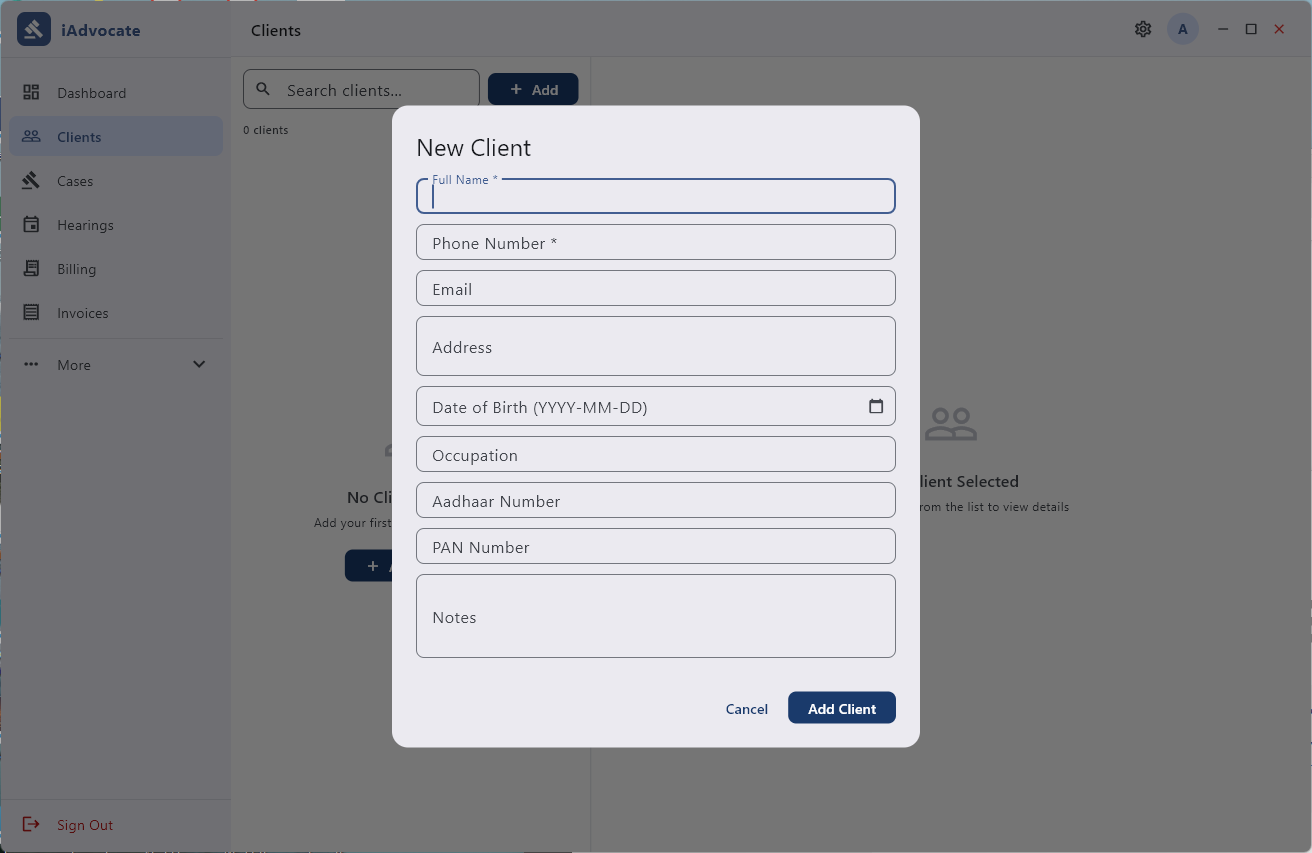
Add, edit, and delete clients with contact, identity, and personal details. Link relatives, upload photos and documents, and generate client profile PDFs.
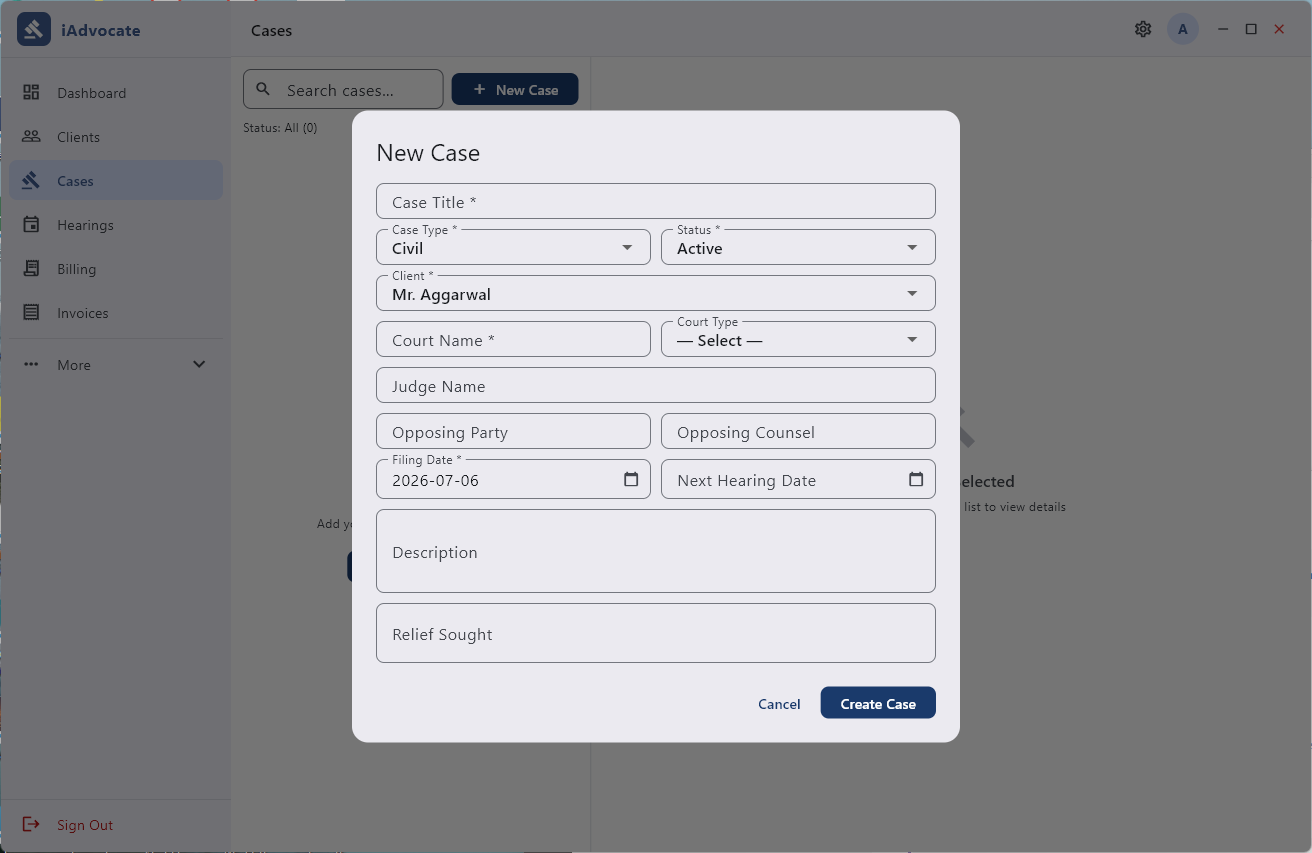
Track cases with type, court, opposing party, status, stage, description, and relief sought. Attach case-related documents and mark hearings complete with outcomes.
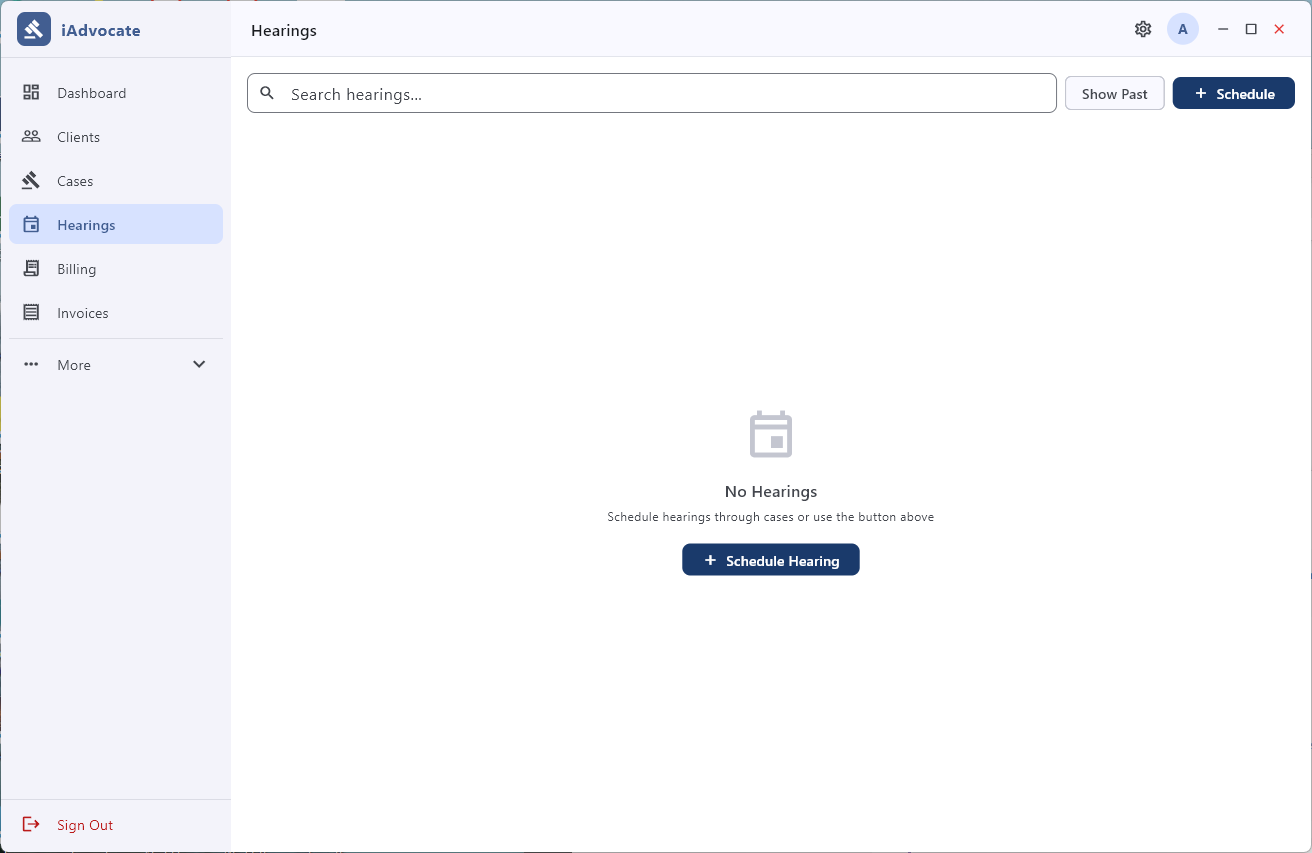
Centralized view of all hearings with search and today/past filters. Schedule new hearings linked to active cases and mark them complete with outcome notes.
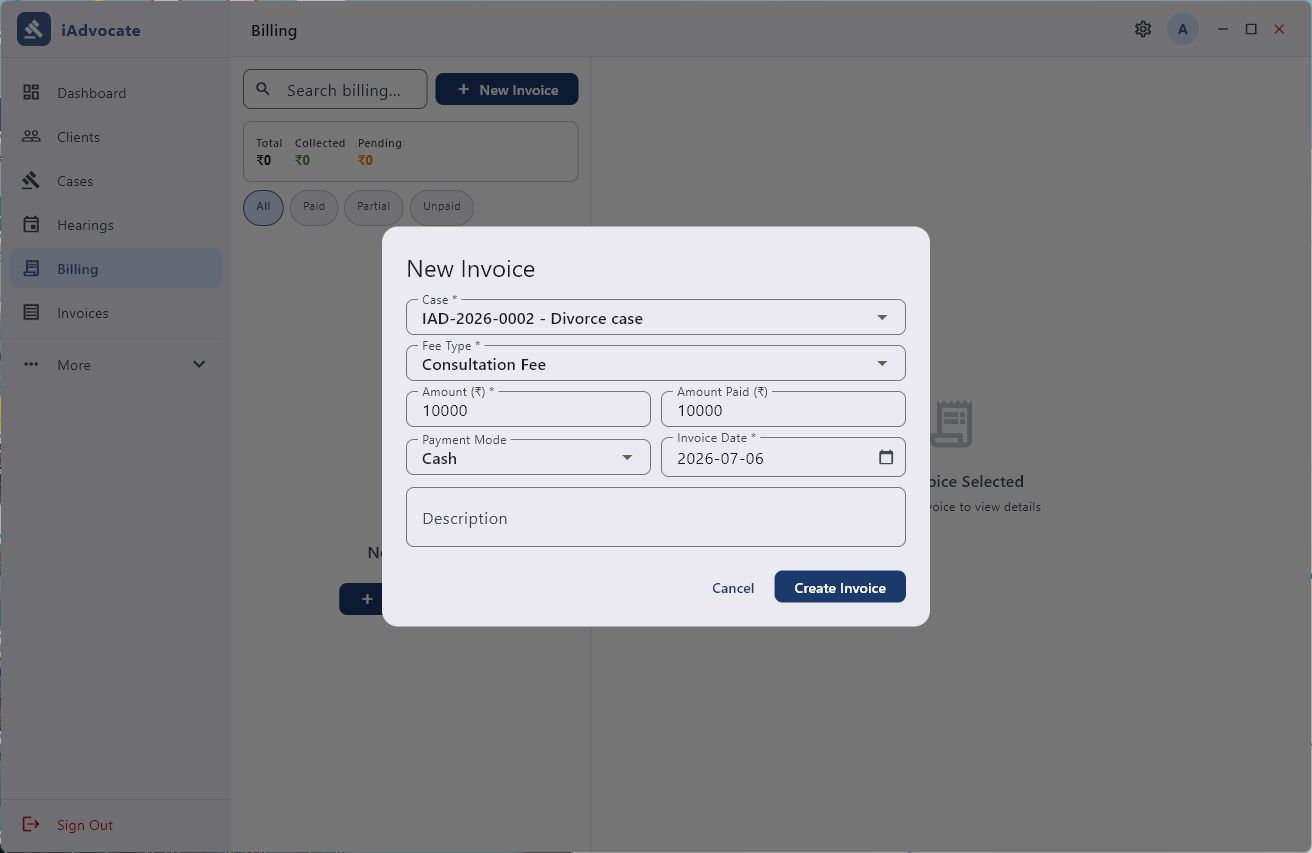
Create invoices with line items, GST (percentage with GSTIN), discount, and auto-calculated totals. Record payments by amount, mode (Cash/UPI/Bank Transfer/Cheque), and date. Status workflow: Draft → Sent → Paid/Cancelled. Print PDF invoices with firm letterhead.
Upload any file type, open with your system app, or share via WhatsApp or Email. Per-case document tab for uploading and viewing case-related files. Search and filter across all documents.
18 built-in common legal templates — Vakalatnama, Affidavit, Bail Application, Legal Notice, and more. Plus the ability to add and manage your own custom templates.
Log expenses by category (Court Fees, Travel, Stationery, etc.) with date and notes. View monthly totals and filter by category for a clear picture of your outgoings.
Add, edit, and remove staff members with role, contact, salary, and active/inactive status. Manage your entire team from within the app.
Track office assets with purchase details, warranty information, and supplier records. Mark items as disposed when no longer in use.
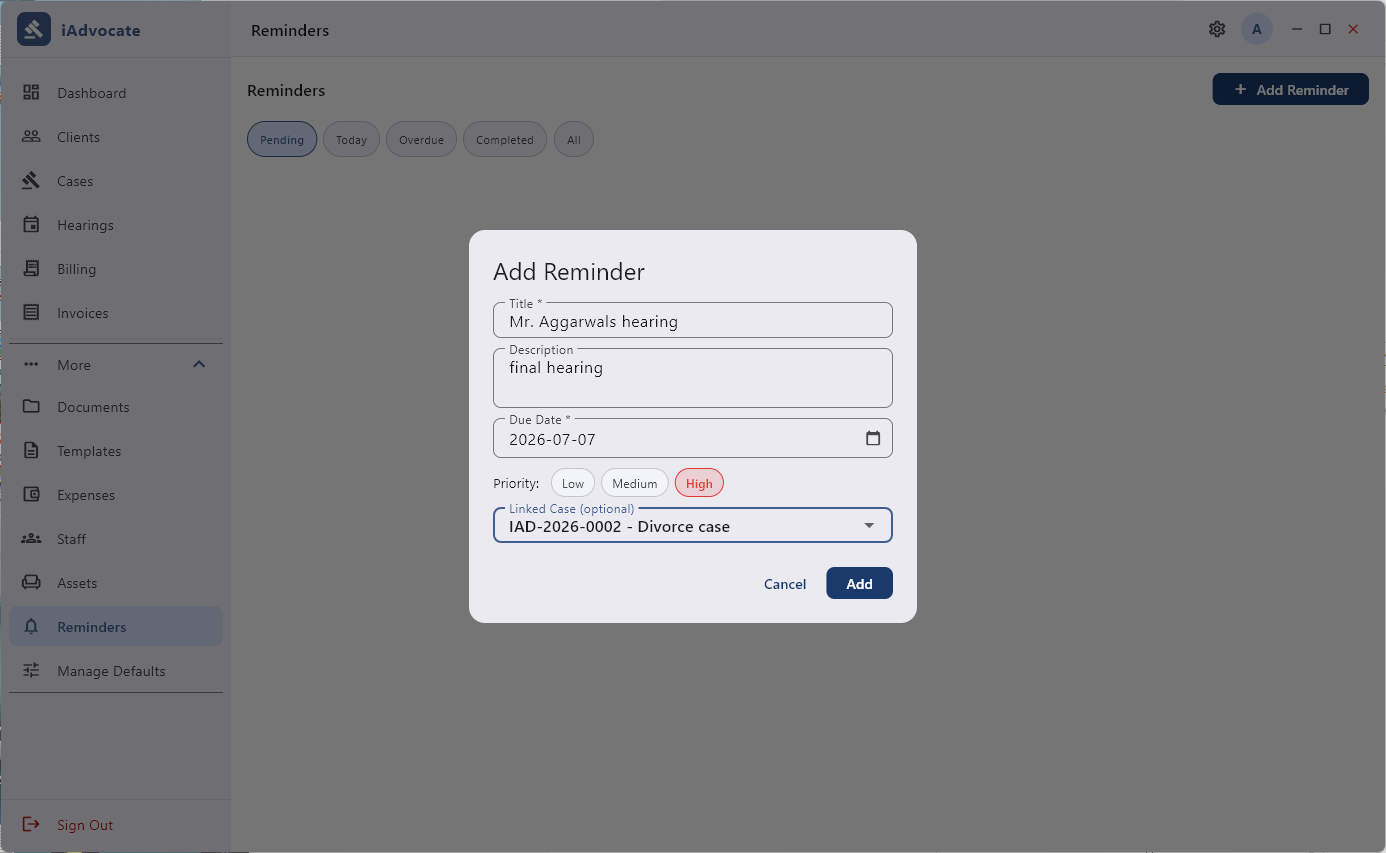
Set reminders with priority levels (Low/Medium/High) and optional case linking. Filter by Pending, Today, Overdue, or Completed to stay on top of your commitments.
Add custom case types, court types, and asset categories. Tailor the app to match the specific needs of your practice area and jurisdiction.
Admin and staff roles with password-protected accounts and security questions for password recovery. Control who can access what in your practice.
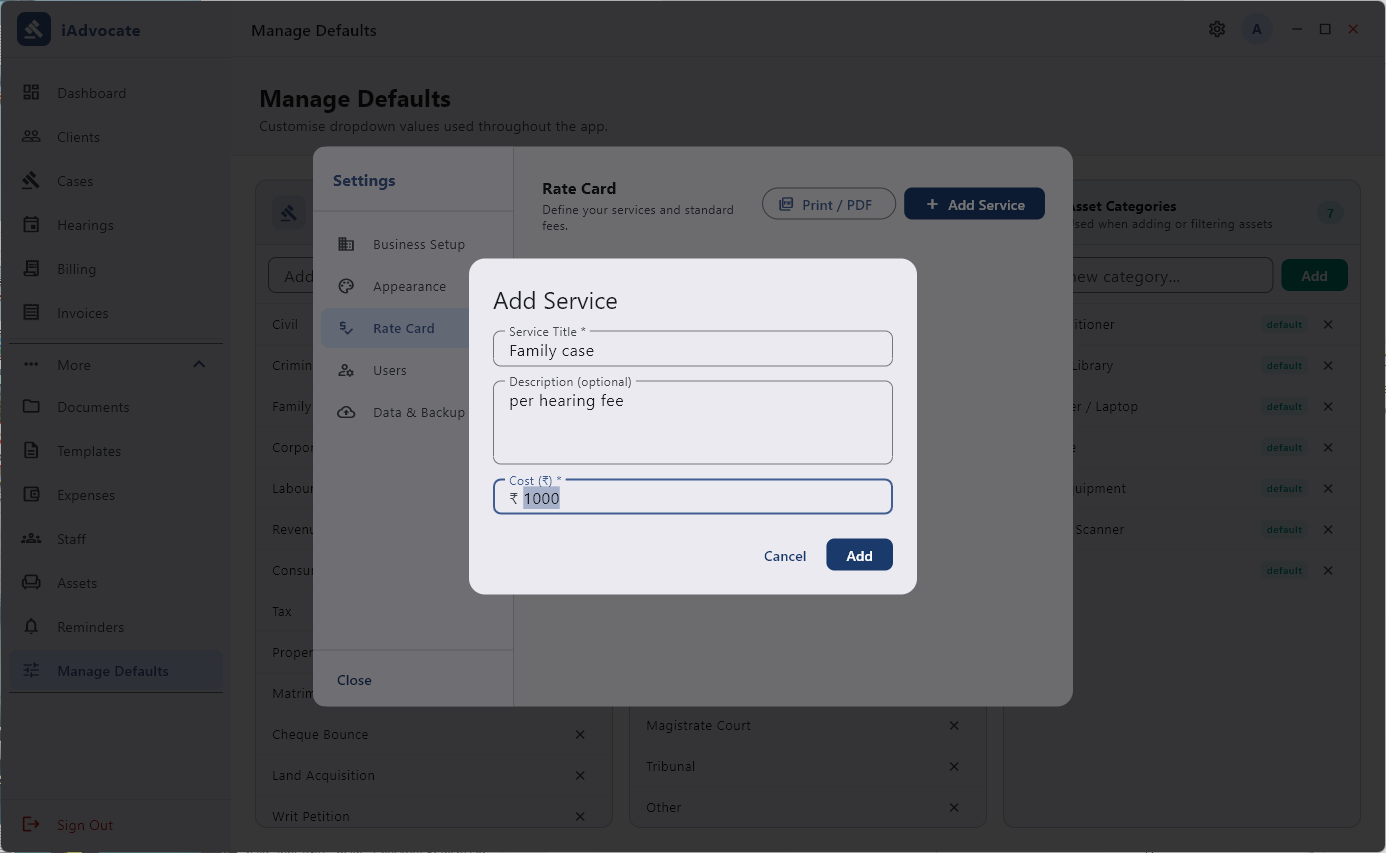
Configure firm name, address, phone, Bar Council number, and GSTIN. Define a rate card with standard fees and generate a professional rate card PDF.
Choose from Light, Dark, or System theme. Select your preferred currency from a wide list — tailor the look and feel to your preference.
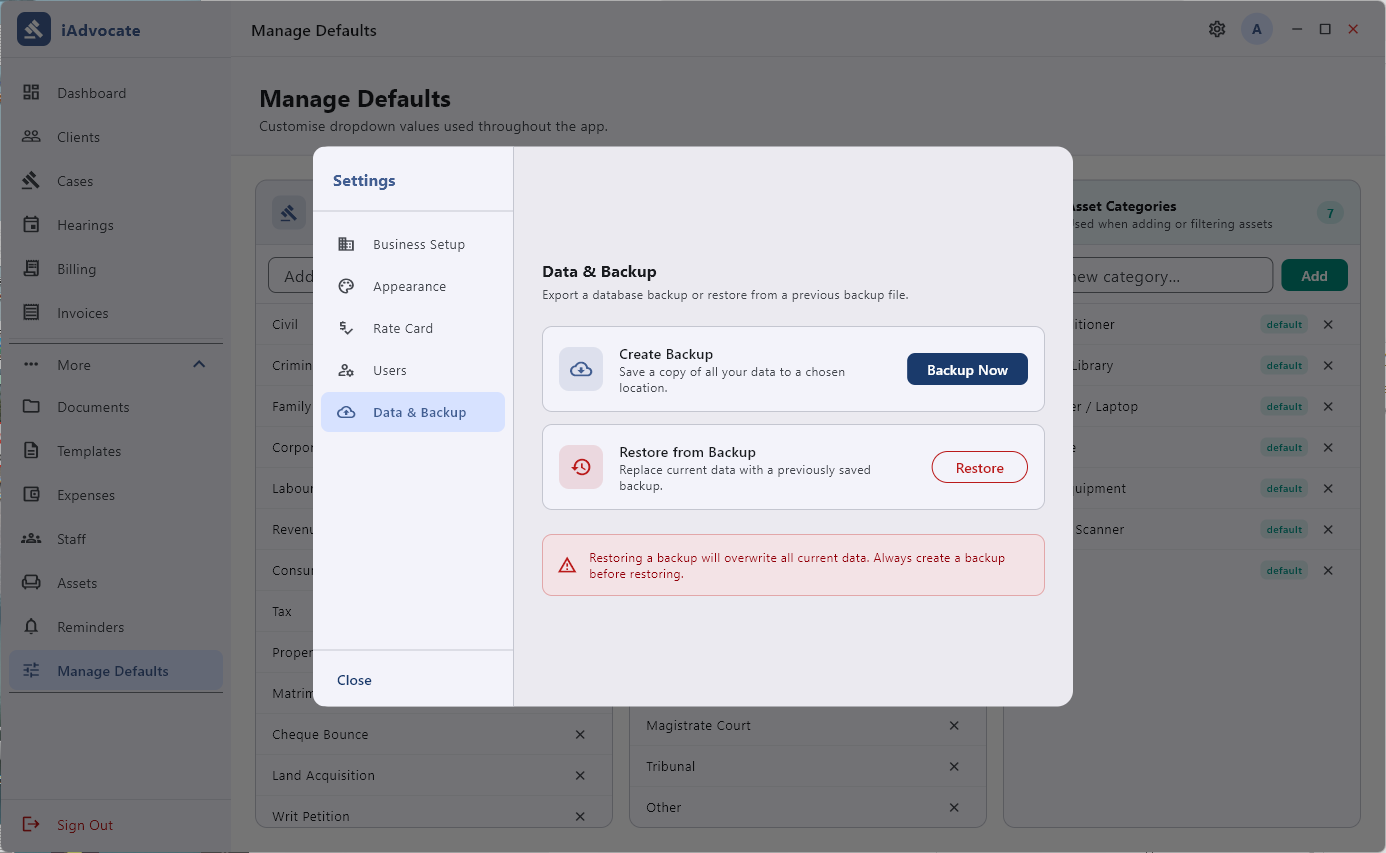
Create full database backups with one click and restore from backup files. Your data is always under your control — move it between machines or secure it offline.
iAdvocate runs entirely on your device with no internet connection, no accounts, and no cloud sync. Client and case data never leaves your computer — ever.
App Sections
Practice management modules and utilities — everything accessible from one persistent navigation.
How it Works
From first launch to managing your full practice in four steps.
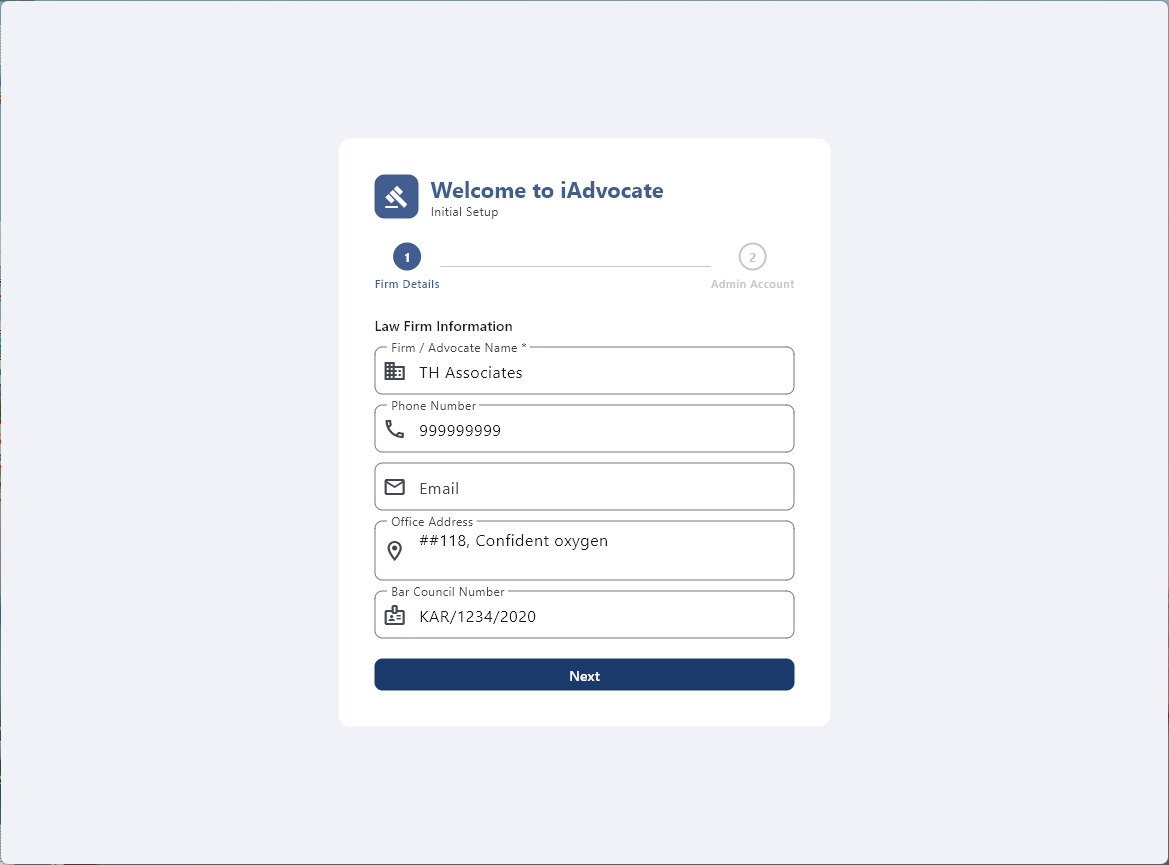
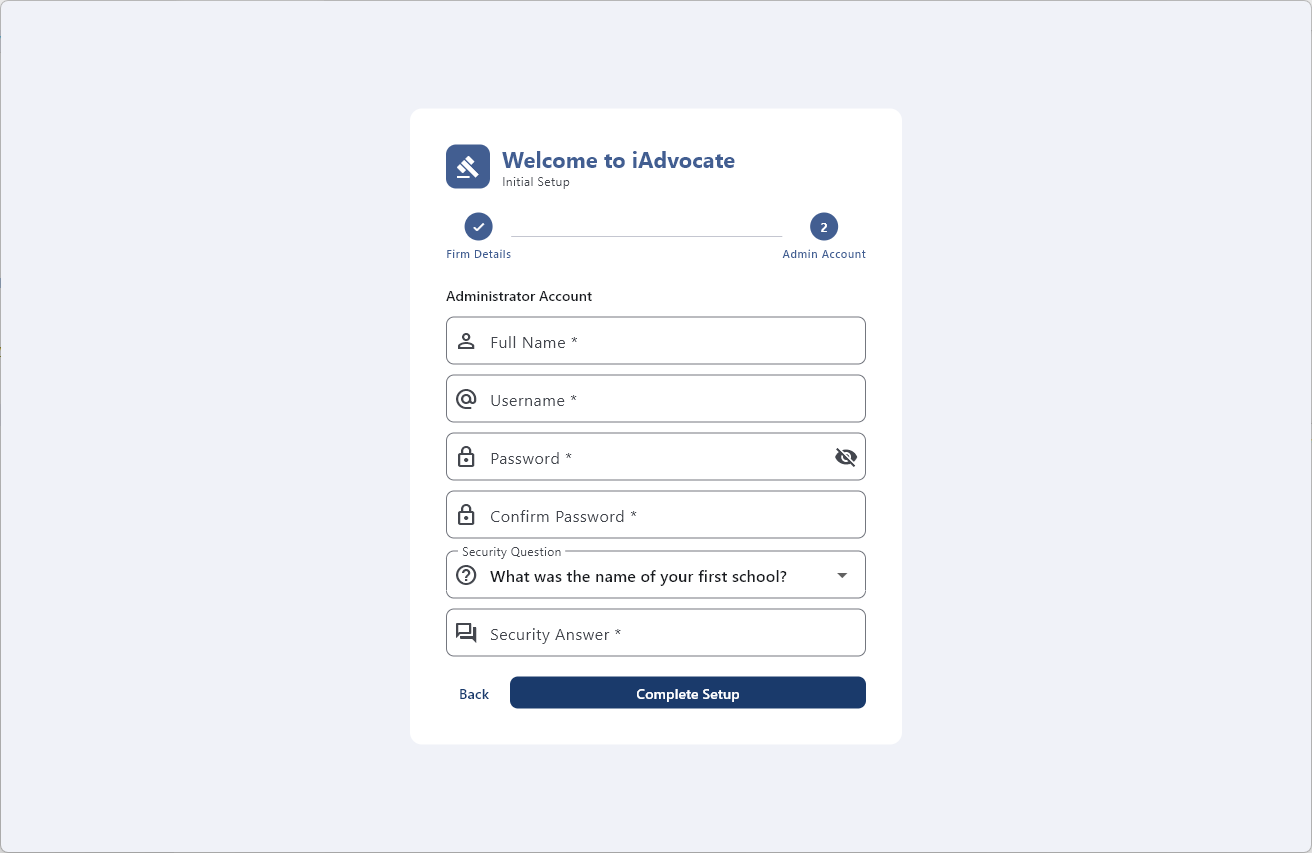
Launch the app and run the 2-step setup wizard — enter your firm name, address, Bar Council number, GSTIN, and create the admin account. You're ready in under a minute.
Create client profiles with all relevant contact and identity details. Open cases for each client — specify case type, court, opposing party, and current status.
Schedule hearings, create invoices, log expenses, upload documents, manage staff, and set reminders — all from one organized sidebar navigation.
Generate PDF invoices with firm letterhead, print rate cards, create client profile PDFs, and back up your entire database with one click whenever you need.
Client Profile
Every client has a dedicated profile that brings together all their records in one view — personal details, linked cases, invoices, documents, and payment history — no jumping between sections.
Reports & Export
Export, print, and back up your practice records without any extra software.
Generate professional invoices with your firm letterhead — includes GST, discount, and payment terms. Ready to print or email.
Export a complete client summary with personal details, linked cases, and document list as a single PDF file.
Define your standard fees and export a professional rate card PDF to share with prospective clients.
Quarterly and FY-to-date financial summaries with collection rate, visible right on the dashboard.
Back up everything — clients, cases, invoices, hearings, documents, templates, settings — to a single file. Restore on any device instantly.
See the breakdown of all cases by status (Active, Pending Filing, Closed, etc.) at a glance on the dashboard.
Pricing
No subscription, no recurring fees, no hidden charges. A single payment unlocks everything — for life.
Requires Windows 10 or later · ~180 MB download · Sign in with Microsoft account to install on up to 10 devices
FAQ
Everything you need to know before you download.
iAdvocate is a one-time purchase on the Microsoft Store — all features included, no subscription, no cloud, no tracking. Buy once, use it forever.
Windows 10 / 11 · One-time purchase · Install on up to 10 devices · No subscription
Managing a legal practice in India comes with unique challenges — multiple court types, hearing schedules that change at the last minute, GST invoicing requirements, and a constant need to track client documents and case progress. Most existing solutions are either cloud-based (raising privacy concerns for sensitive client data), expensive subscription models, or generic tools not built for Indian legal practice.
iAdvocate is built from the ground up for Indian advocates and law firms. It understands the Indian legal system — from Bar Council registration numbers and GSTIN to vakalatnama templates and court-specific case types. Everything runs offline on your Windows PC, so your clients' sensitive information never touches a cloud server.
Keep every client's details organized — name, contact information, identity proof, address, linked relatives, and associated cases. Upload photos and supporting documents directly to each client's profile. Generate a complete client profile PDF anytime you need it for court submissions or internal records.
Track every case with type, court, opposing party, status, stage, description, and relief sought. Schedule hearings linked to active cases, mark them complete with outcome notes, and never miss a hearing date again. The centralized hearings calendar shows all upcoming and past hearings with search and filter options.
Create professional invoices with line items, GST (percentage with GSTIN), discount, and auto-calculated totals. Record payments by amount, mode (Cash, UPI, Bank Transfer, Cheque), and date. The Draft → Sent → Paid/Cancelled workflow keeps your billing organized. Print PDF invoices with your firm letterhead.
Save hours of drafting time with 18 built-in common legal templates including Vakalatnama, Affidavit, Bail Application, Legal Notice, and more. Add your own custom templates for any document type you frequently use. Access all templates from one organized section in the sidebar.
Unlike cloud-based legal software that stores your clients' sensitive information on remote servers, iAdvocate keeps everything on your local Windows PC. No internet connection is required for any feature. No accounts to create. No data is sent anywhere. Your practice data is entirely under your control — back it up, move it between machines, or keep it air-gapped.
iAdvocate is a one-time ₹199 purchase on the Microsoft Store. All 20+ sections, all features, all future updates — included. Works on Windows 10 and 11.
Get iAdvocate on Microsoft Store